
ResortWorks™ · Resort maintenance software from Xblu
Say what broke.
We'll handle the paperwork.
Voice work orders, a live grounds map and fleet tracking for resorts, marinas, rentals and condos.
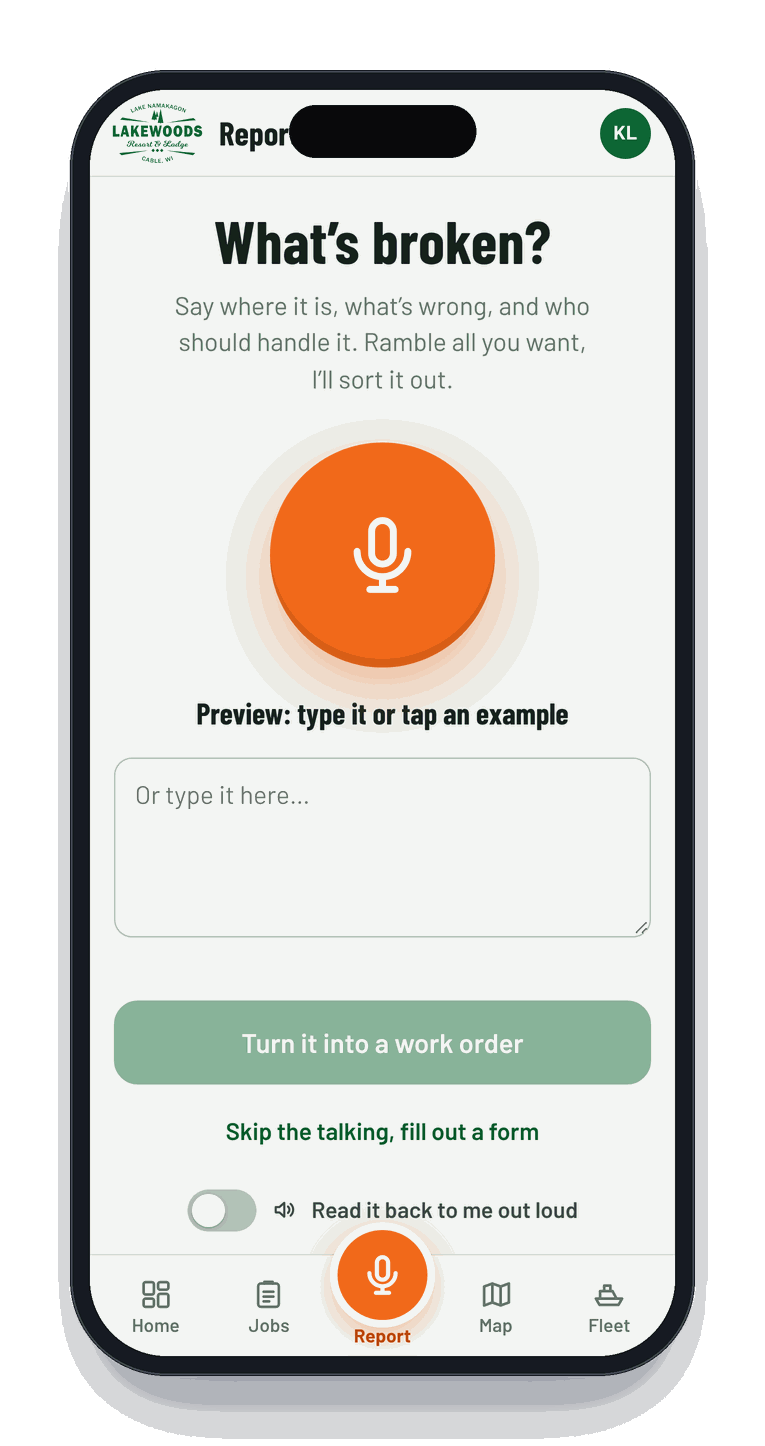
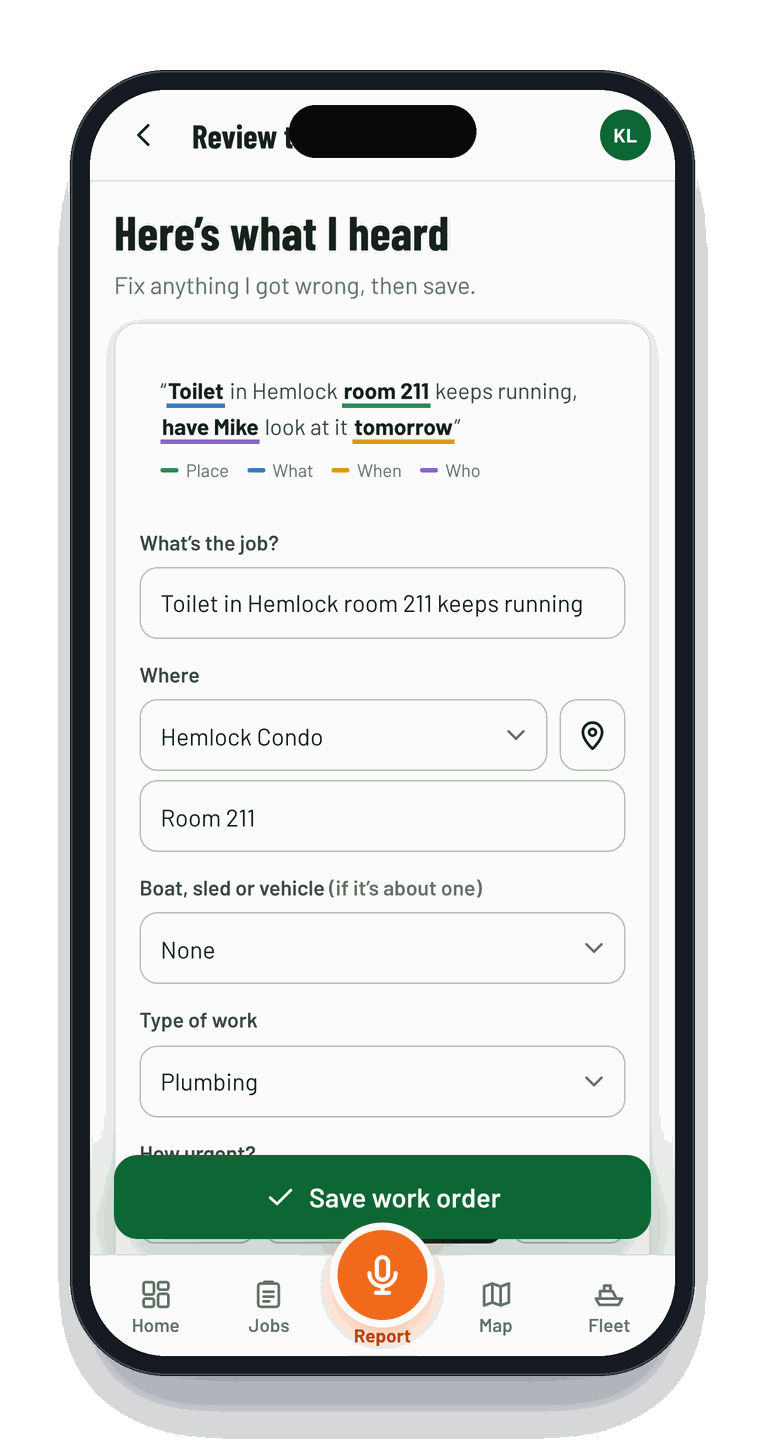
Your crew taps one orange button, says "the toilet in condo 211 keeps running, have Mike look at it tomorrow," and ResortWorks turns it into a work order with the building, room, priority, tech and due date filled in. Then it drops a pin on your property map so everyone can see it.
How it works
Talk. Tap. Fixed.
Built for the folks with a wrench in one hand and a phone in the other. No forms, no training binder, no "where did that sticky note go."
01 · SAY IT
Report by voice
Hit the mic and talk like you would on the radio. One recording can hold several jobs. It understands building numbers, condo rooms, docks, golf holes and boat numbers, even spoken as words.
02 · CHECK IT
Review in a glance
Place, type of work, urgency, who's on it and when it's due come back filled in. Fix anything with a tap, add a photo, save. The job lands on the map and the right person's list.
03 · FIX IT
Close the loop
Start, pause with a reason, hand off or mark done. Notes and photos stack up into a history, so next season you know exactly what was done to Pontoon #6, and when.
Voice to work order
Ten seconds of talking. A complete work order.
Works with the phone's own speech recognition. Add an AI key and it gets even sharper with messy, real-world rambling.
What's inside
Everything your maintenance shop has been taping to the wall.
Live grounds map
Your property. Your pins.
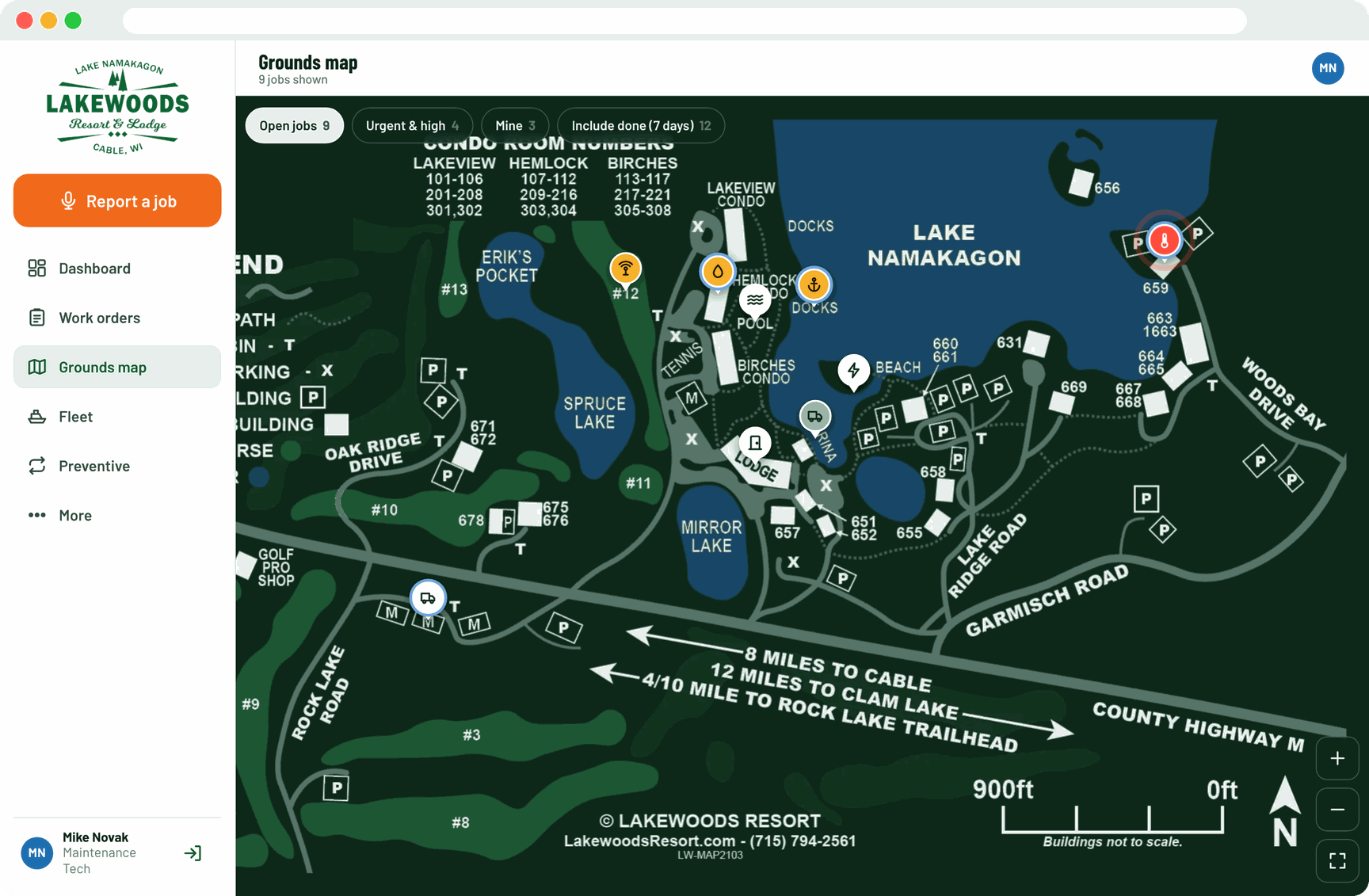
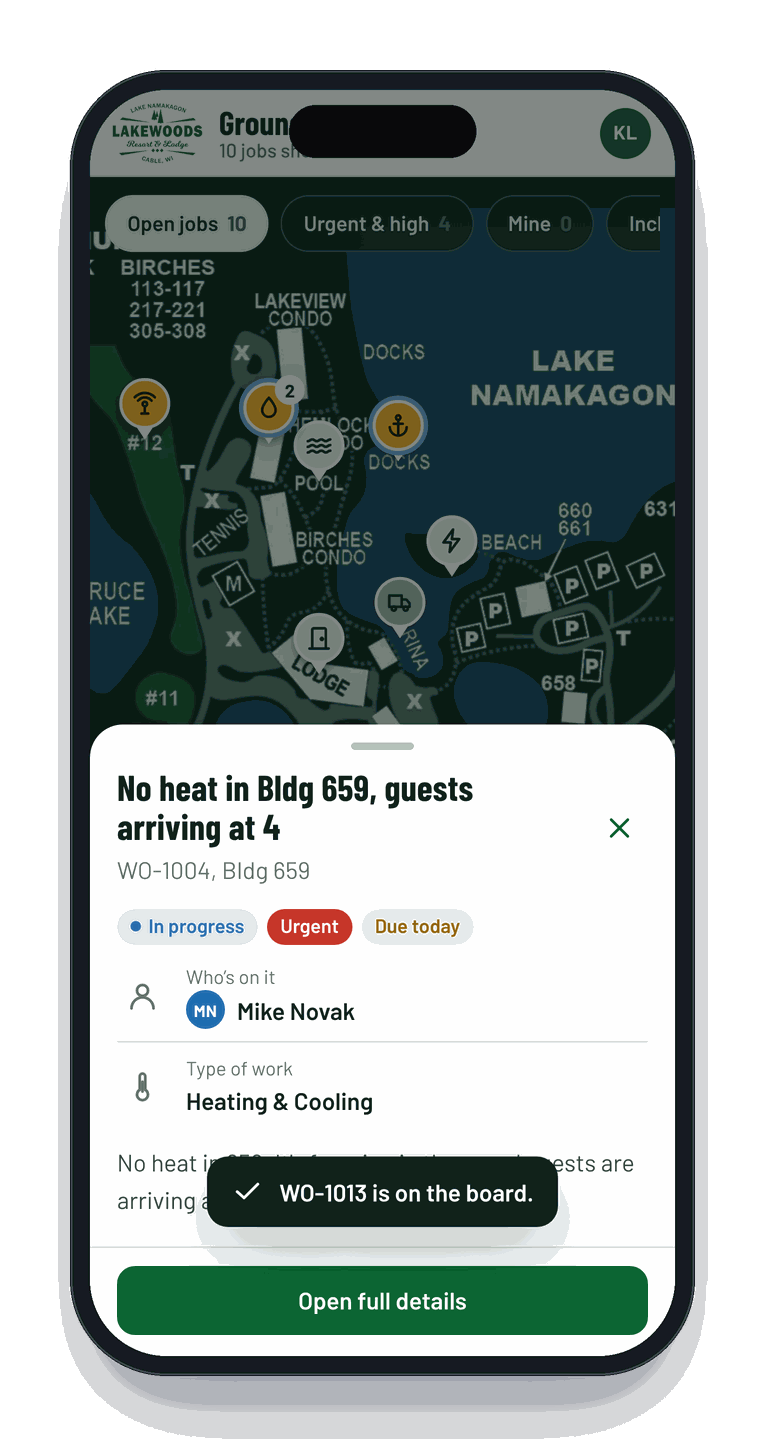
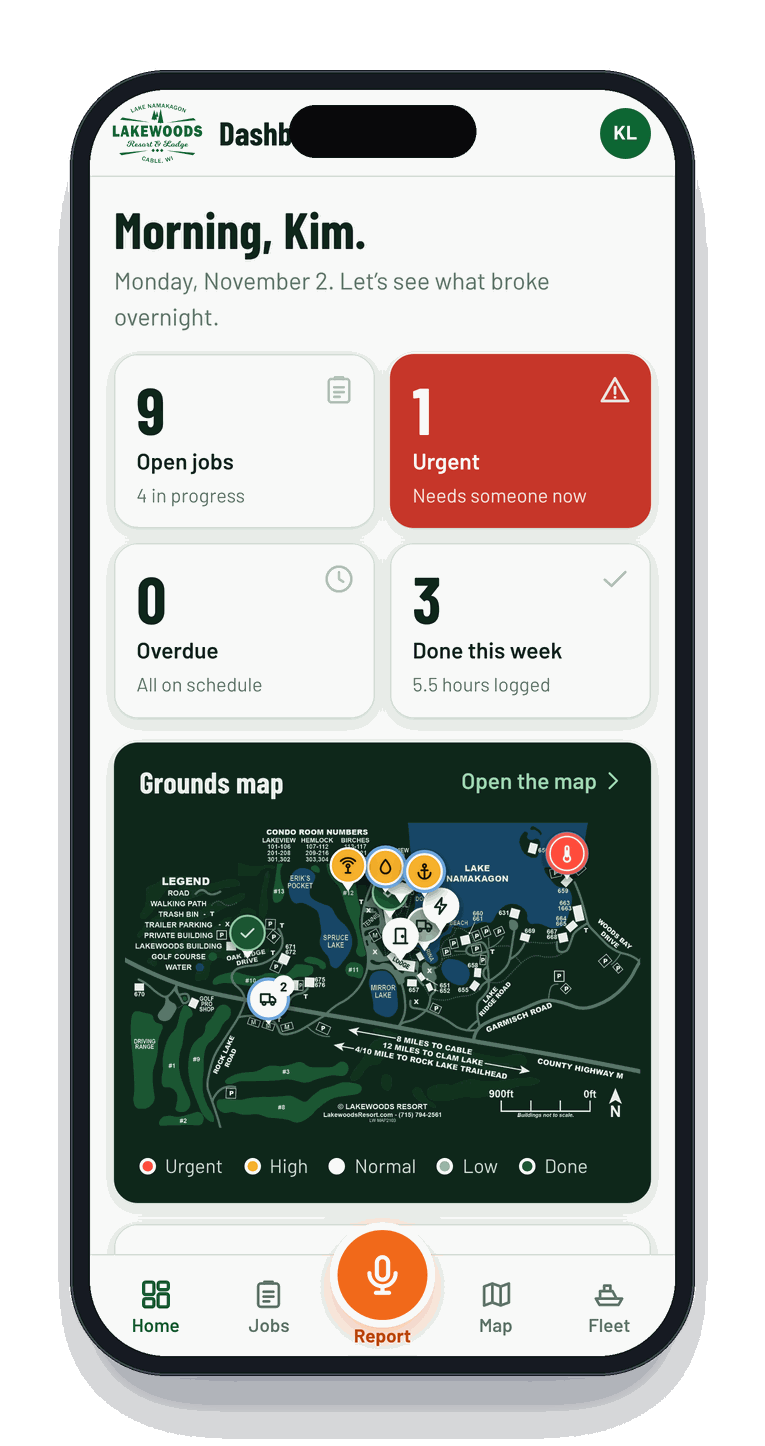
We drop your actual site map in, recolored to match the app. Every open job shows up as a color-coded pin: red for urgent, amber for high, done jobs fade out. Tap a pin and the job opens. Pinch, zoom or drop a custom pin on the spot where the problem is.
- Knows your buildings, condo room ranges, docks, roads and golf holes
- Filter by urgency, area or crew
- Great for new hires who don't know "the shed past 659" yet
Fleet & rentals
Pontoons, sleds and carts, all accounted for.
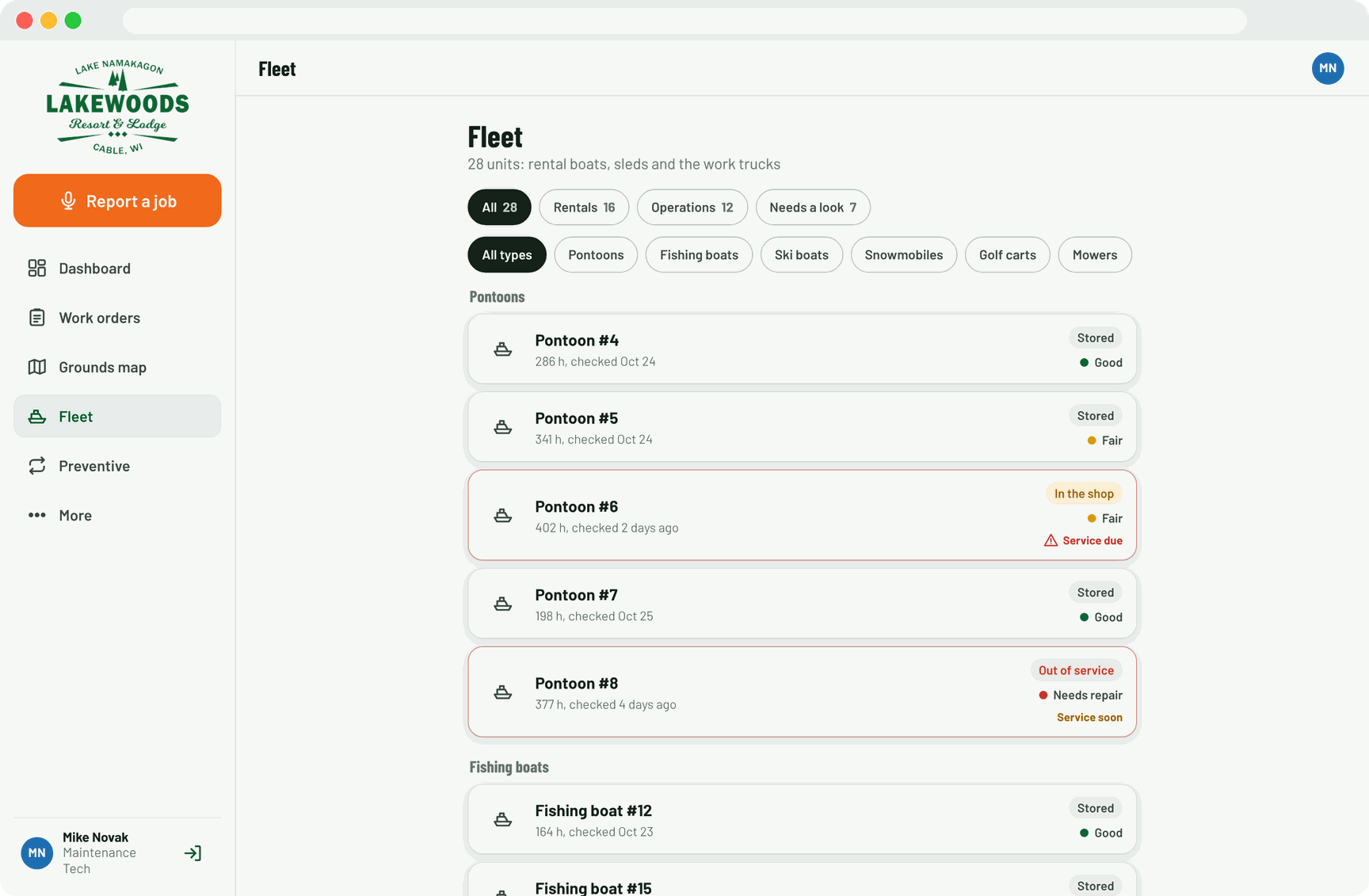
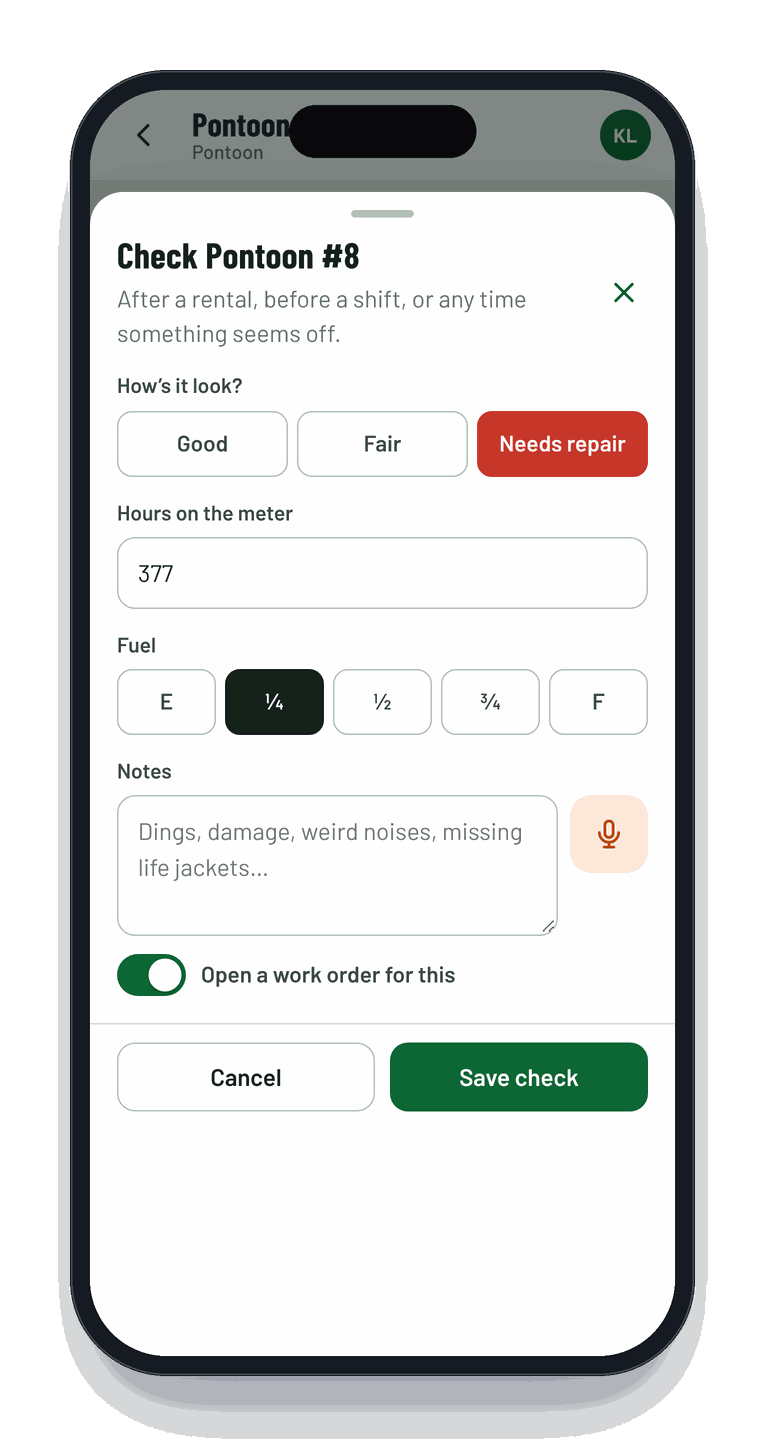
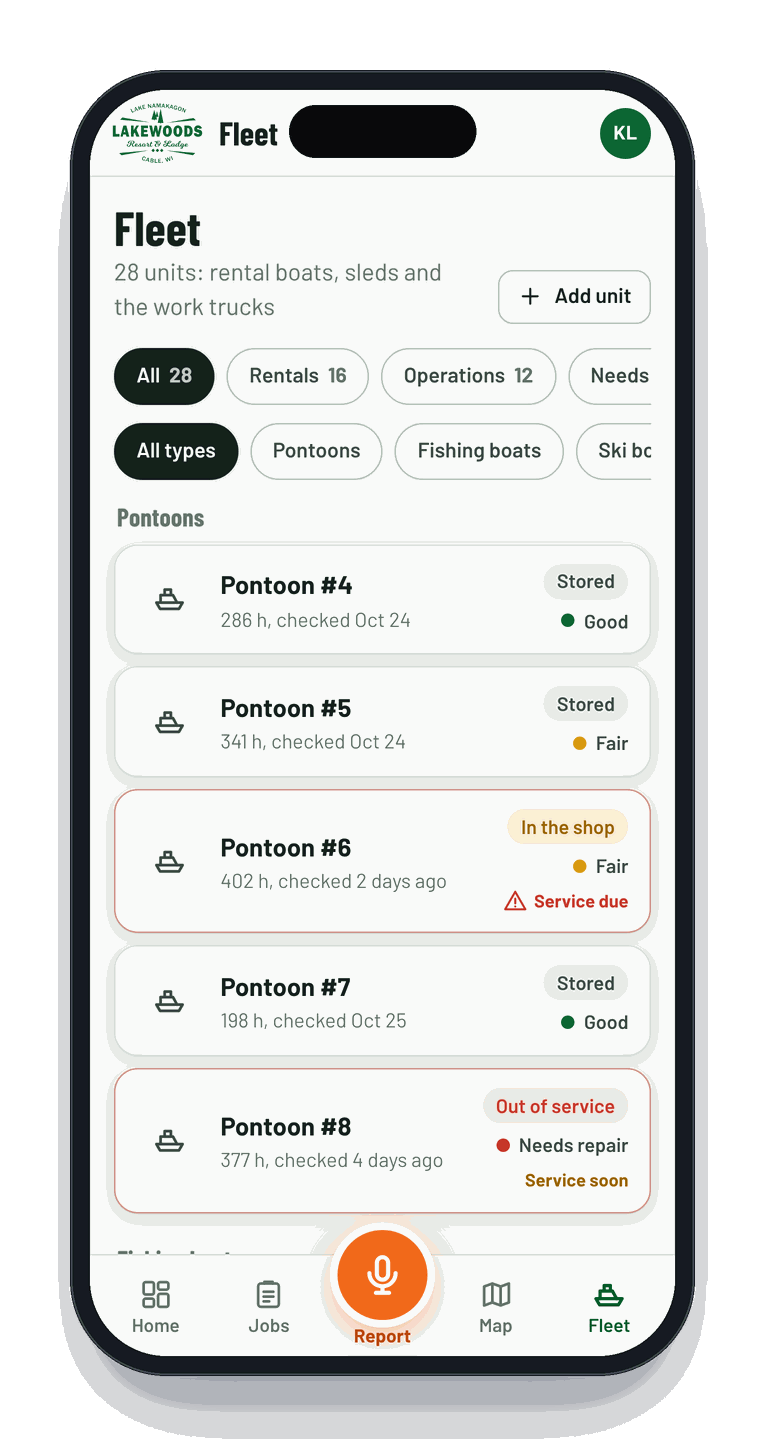
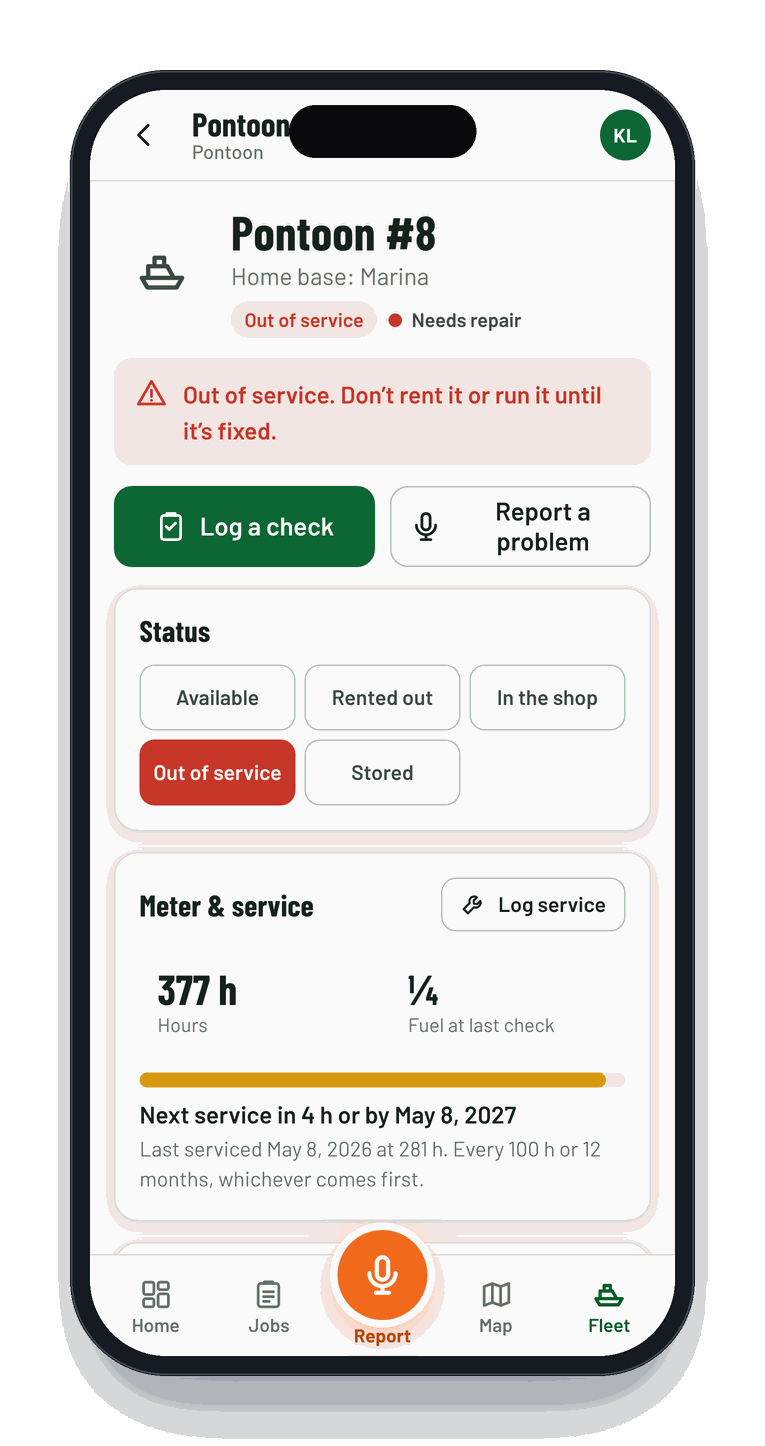
Every boat, snowmobile, golf cart, mower, UTV and truck gets a card with its status: available, rented, in the shop, out of service or stored for the season. After a rental comes back, a 15-second condition check logs hours, fuel and damage.
- Service intervals by hours, miles or months with "service due" flags
- Say "pontoon six won't start" and the job links itself to Pontoon #6
- Full service history per unit, ready for the insurance guy
PontoonsFishing boatsSki boatsSnowmobilesGolf cartsUTVs
The dashboard
The whole morning on one screen.
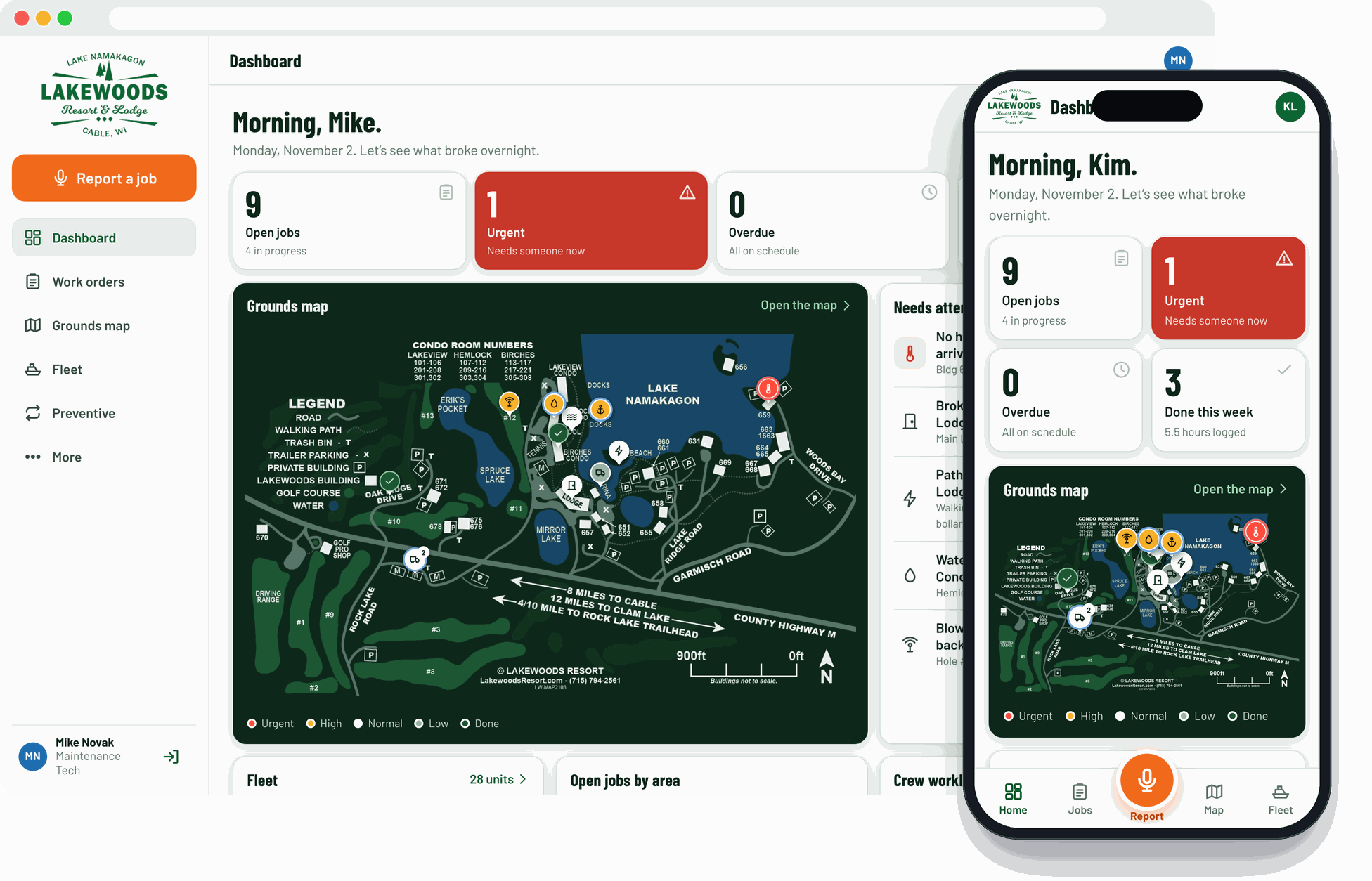
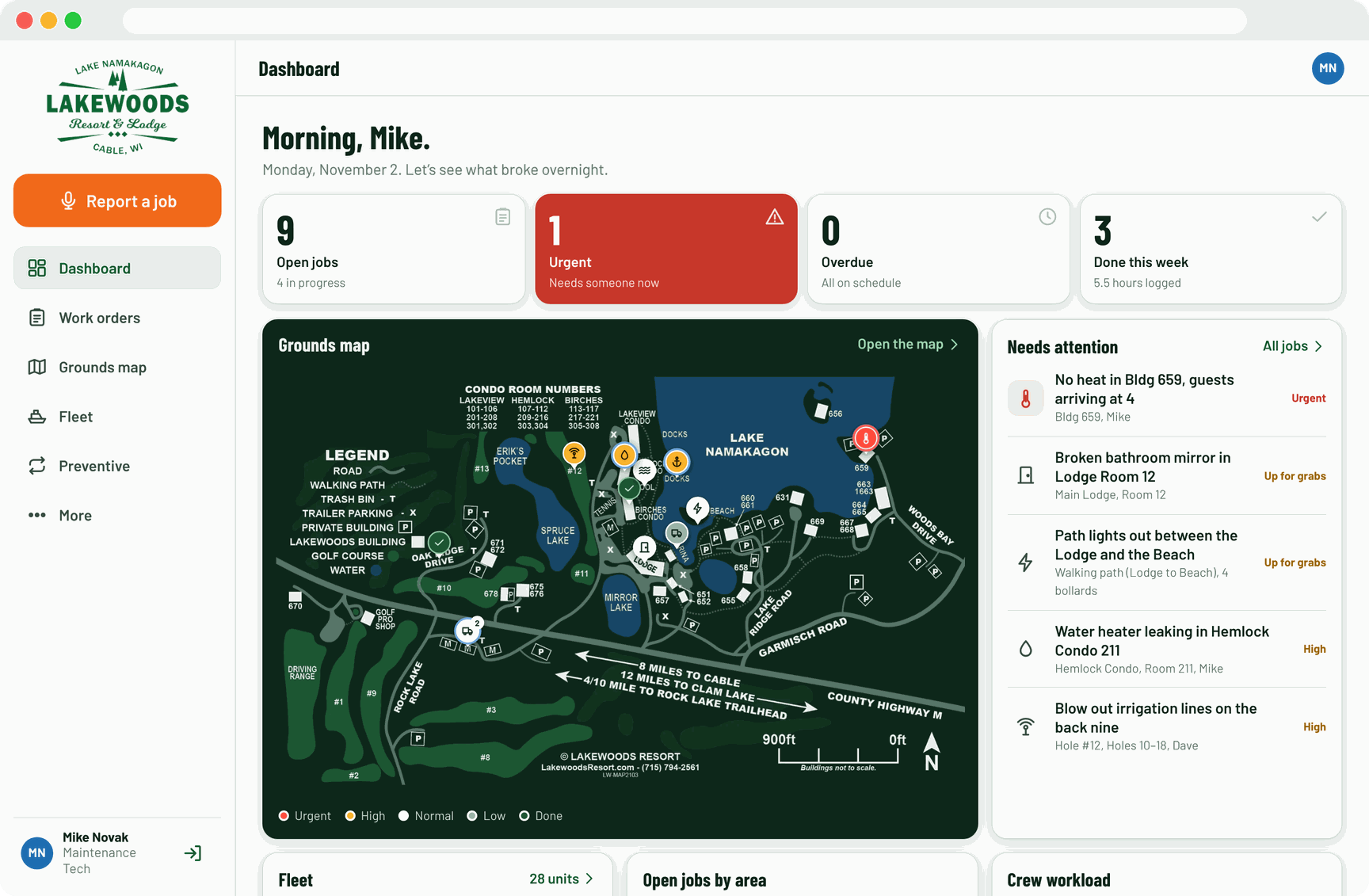
"Morning, Kim. Let's see what broke overnight." Open, urgent and overdue counts, what needs attention, who's swamped, fleet status, jobs by area and opened-vs-closed trends. Managers stop chasing updates because the updates come to them.
- Live updates, no refresh button
- Export to CSV for the owners' meeting
- A light, friendly voice your crew will actually read
Shop TV mode
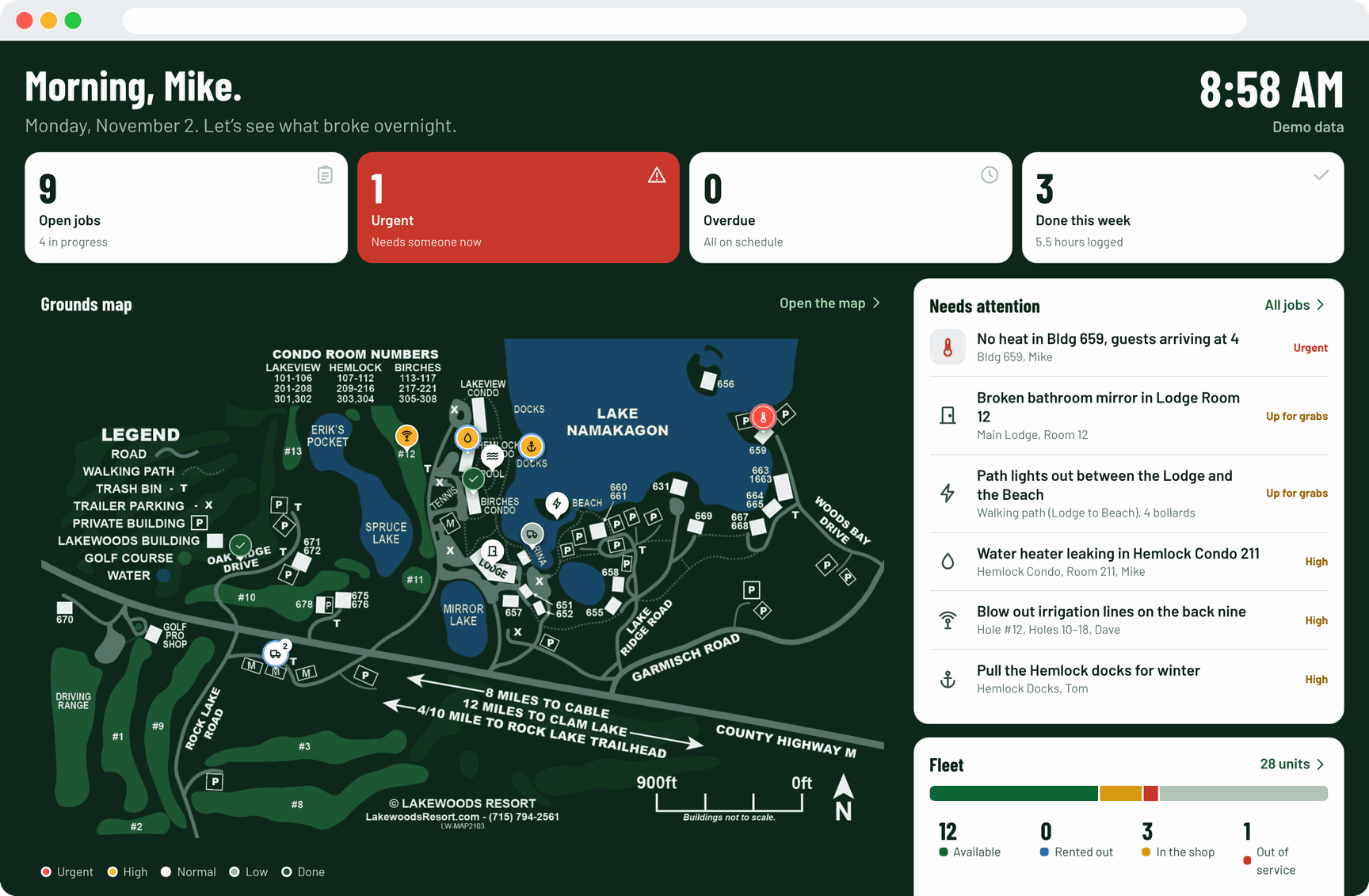
Put it on the big screen in the shop.
A hands-free, auto-updating board for the TV by the coffee pot. The crew sees what's urgent before they grab their keys, and nobody has to ask "what's next?"
Preventive maintenance & crew
The jobs that open themselves.
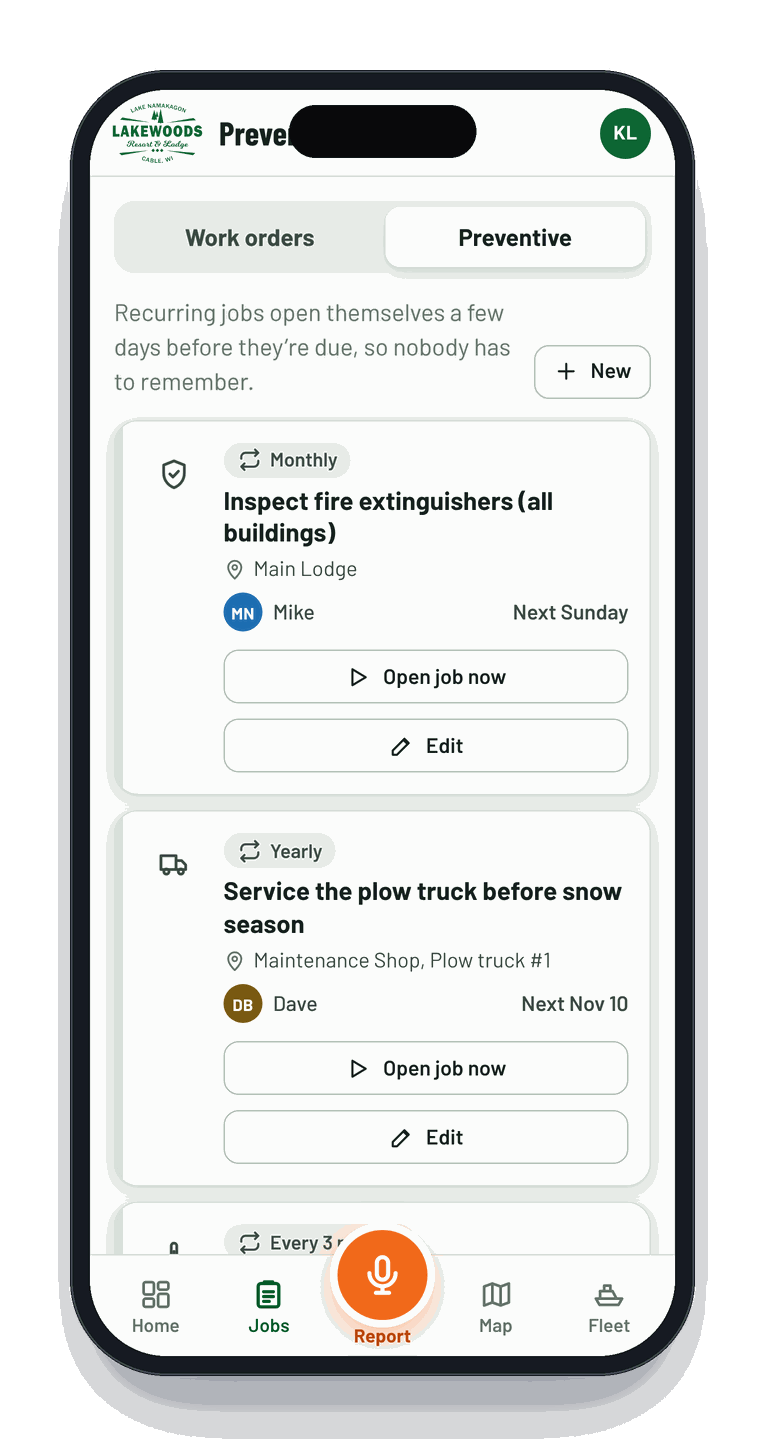
Furnace filters, fire extinguishers, smoke detectors, plow truck service, docks in every spring and out every fall. Set it once and ResortWorks opens the job a few days before it's due.
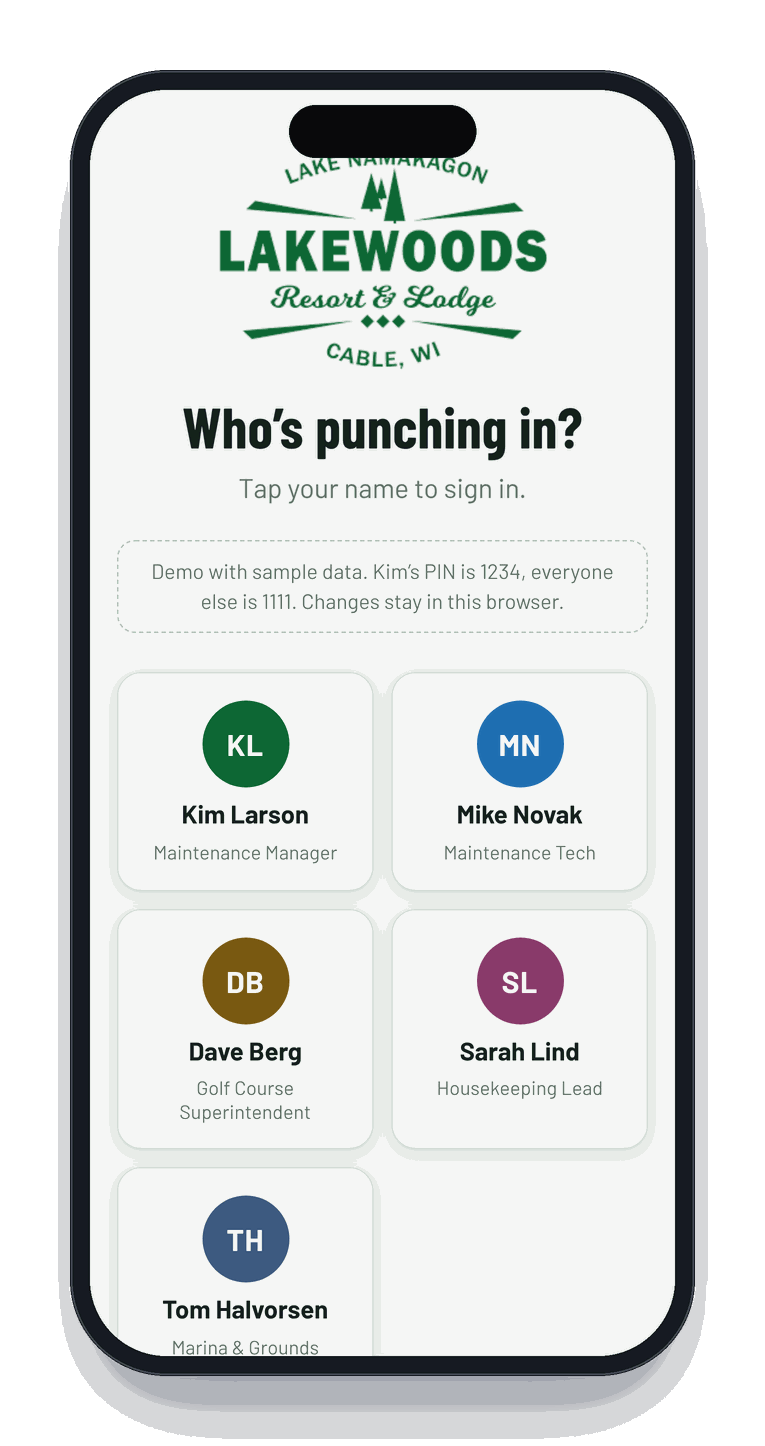
- Crew signs in by tapping their name and a PIN, no passwords to forget
- Managers edit the team, fleet and schedules
- Works with no signal and syncs later, perfect for the far end of the property
A look around the app
Big buttons. Plain words. A little bit of fun.
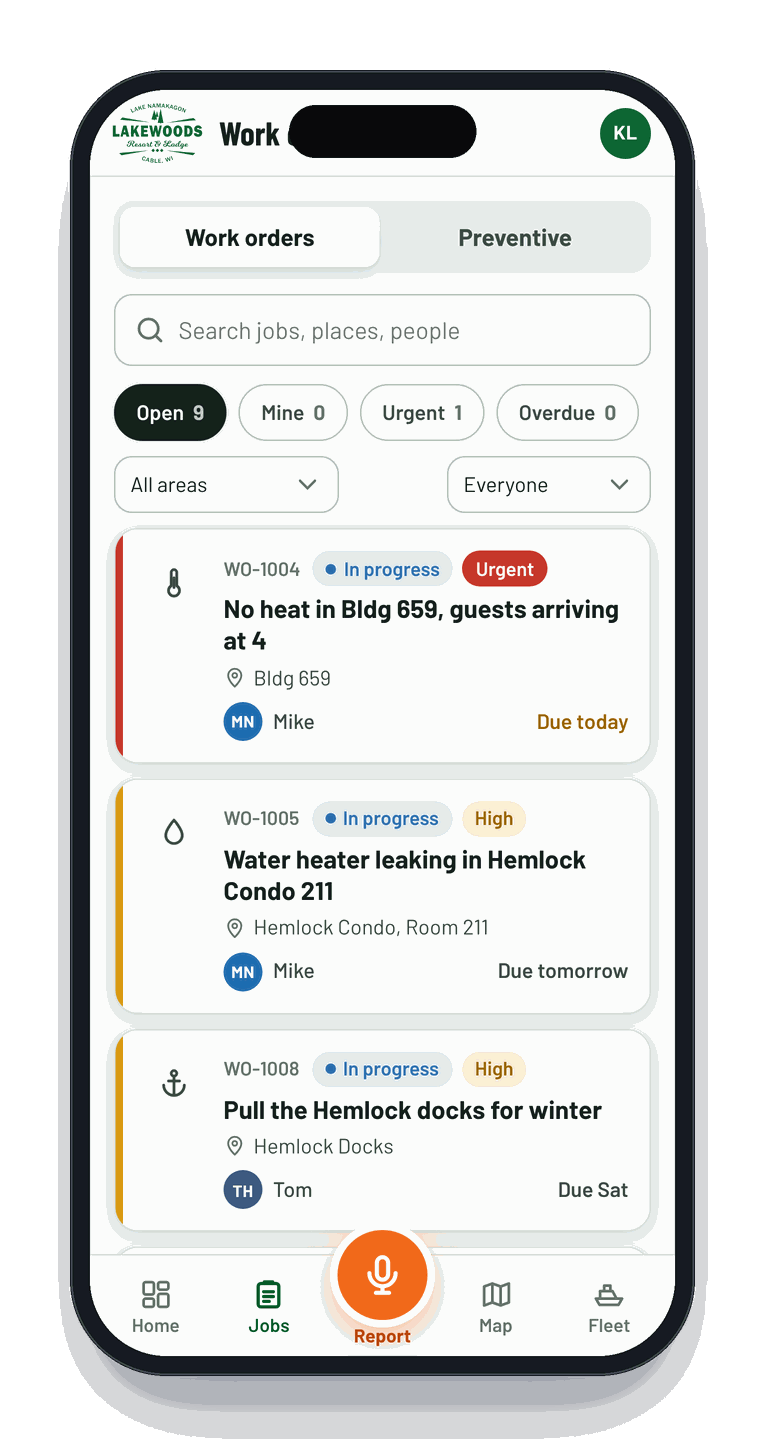
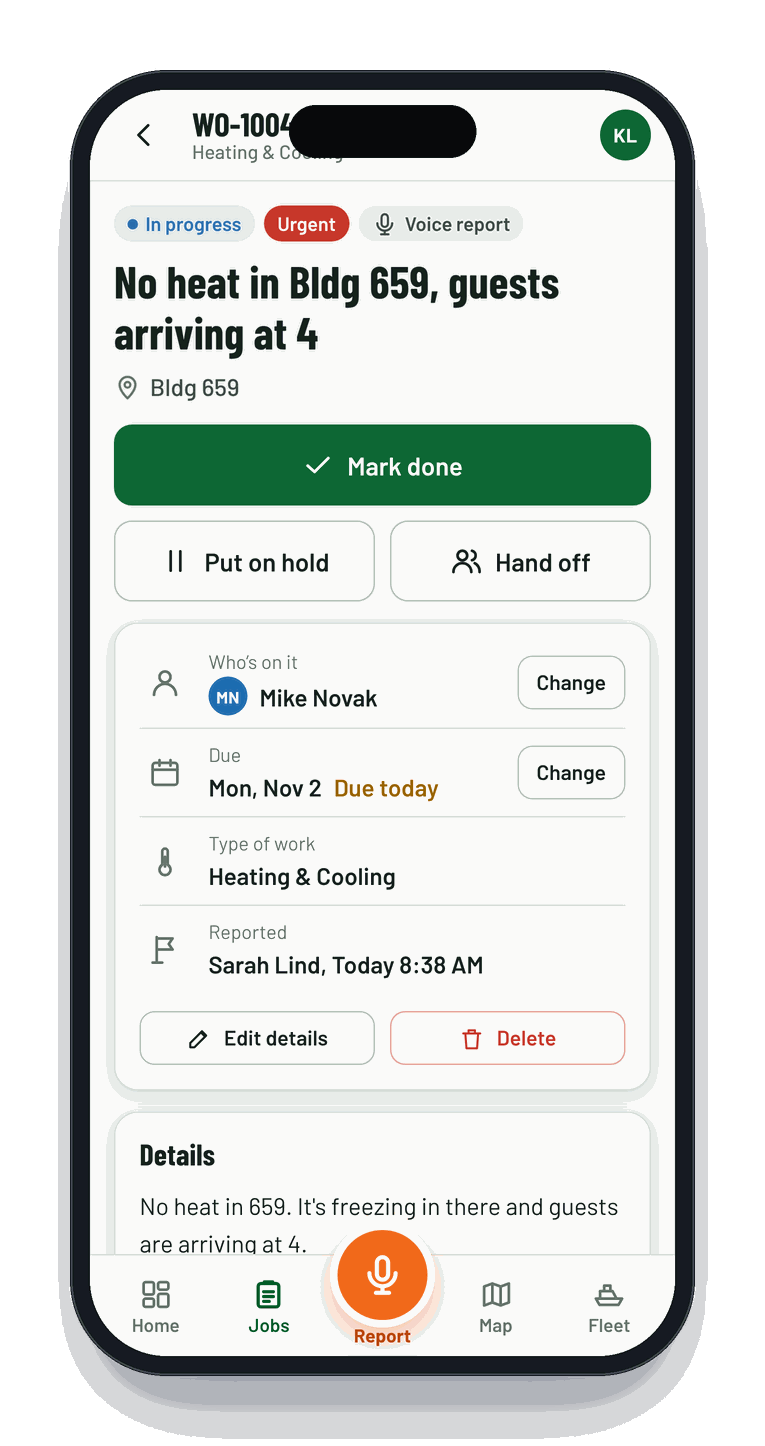
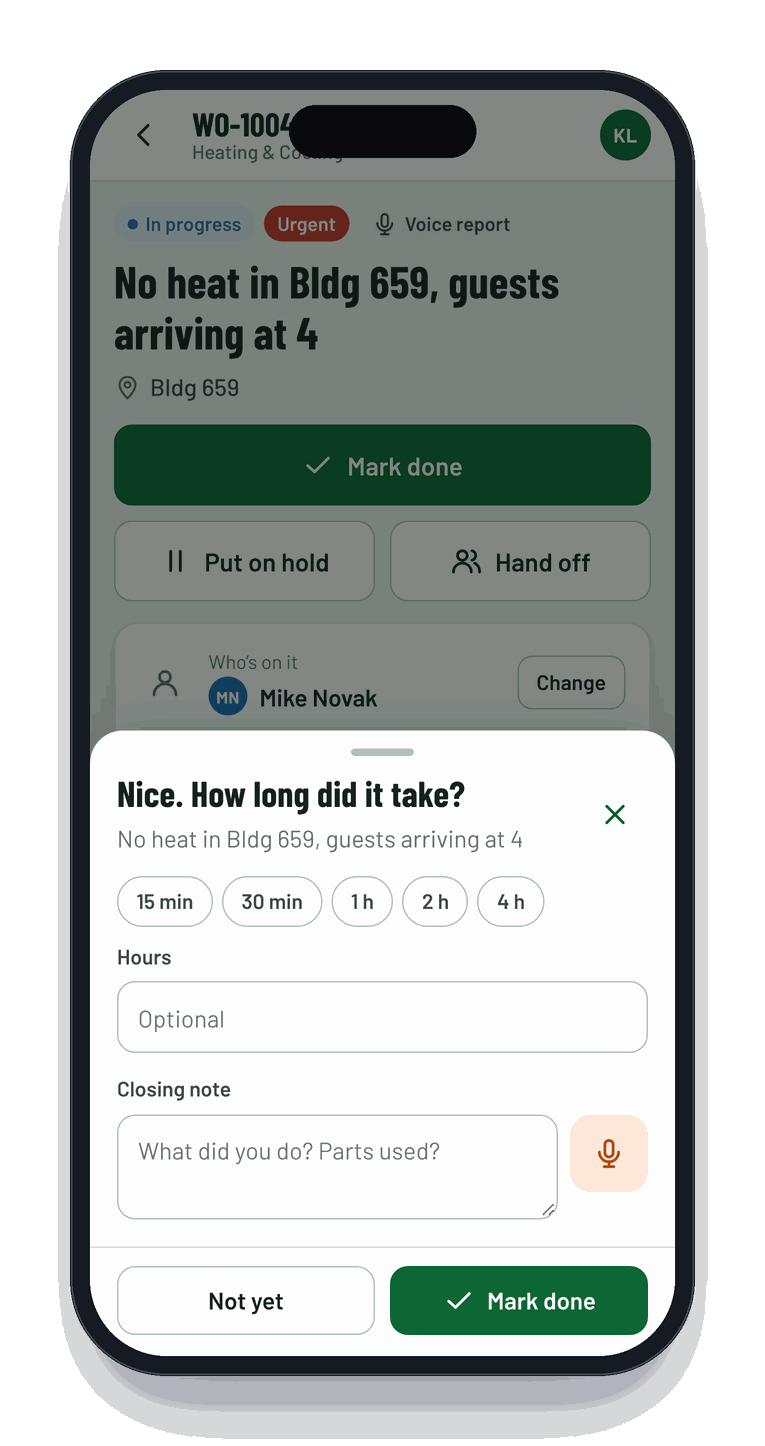
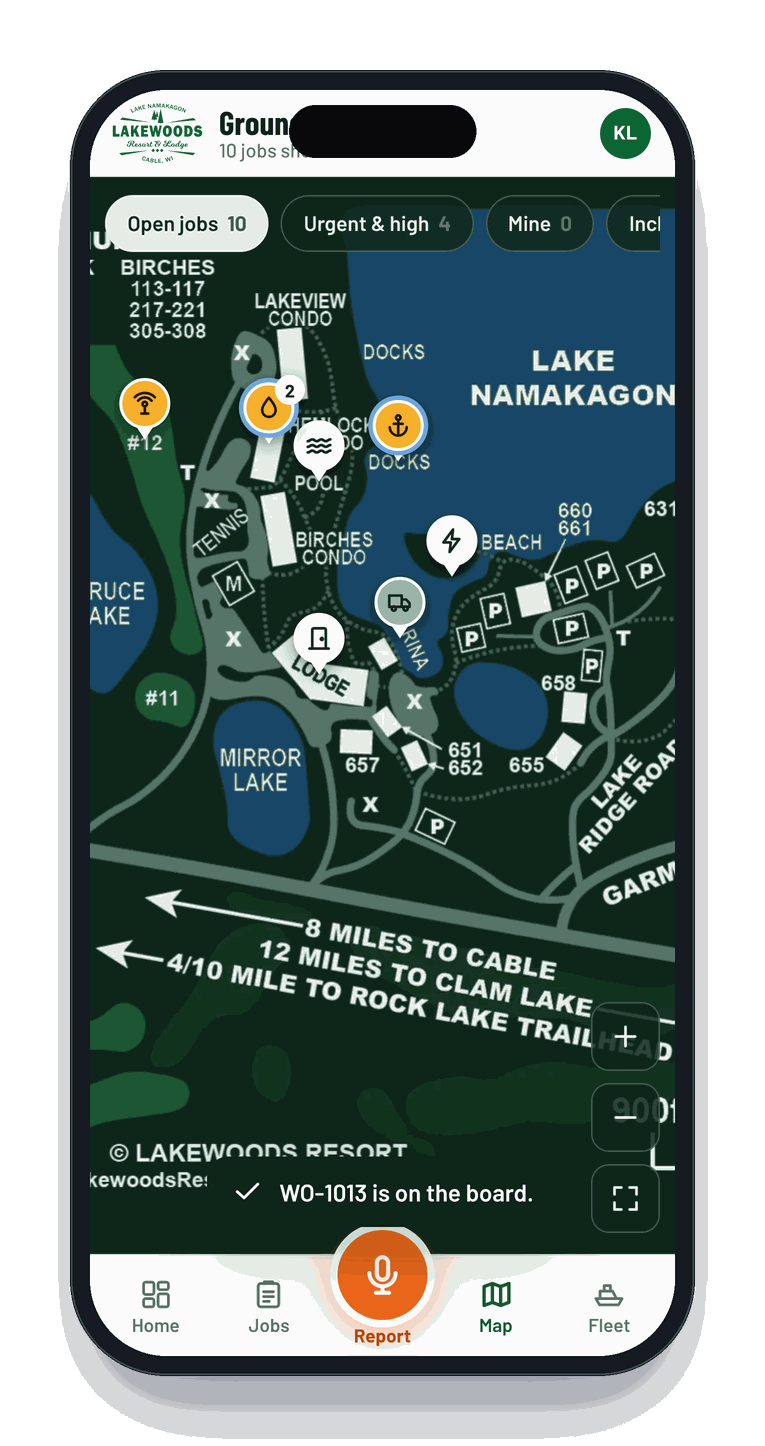
Who it's for
If guests sleep, play or float there, it fits.
Resorts & lodges
Guest rooms, condos, the main lodge, the golf course and every outbuilding on one map.
Marinas & boat rentals
Slips, docks, fuel and a rental fleet with hours-based service tracking and return checks.
Condos & HOAs
Unit-level requests, common areas and recurring work, with a history the board can see.
Campgrounds & rentals
Cabins, sites, bathhouses and the equipment shed, from summer weekends to snowmobile season.
A real Tuesday
What a morning looks like at a lakeside resort.
Sample data from a demo property, the same kind of day our launch resort sees in shoulder season.
How Xblu built it
We didn't start with software. We started with the shop.
ResortWorks began as a custom build for a Northwoods lake resort with condos, a lodge, a golf course, a marina and a winter snowmobile fleet. Here's how it came together, and why it adapts so fast to the next property.
Understand
We walked the grounds, sat with the crew and learned how jobs really came in: texts, radio calls, sticky notes and hallway stops.
Analyze
We gathered every resource: the property map, building and room numbers, the fleet list, the recurring chores, who handles what.
Build
We designed around the hardest moment: a tech with full hands and spotty signal. Voice first, big buttons, offline by default.
Revise
A few rounds with the crew: teaching it local lingo, the condo room ranges, the boat numbers, and a friendlier voice.
Adapt
Because we own the code, new workflows, new properties and new fleets are days of work, not a new contract.
FAQs
Good questions. Quick answers.
Do my techs need to download an app?
No. ResortWorks runs in the phone's browser and can be added to the home screen in two taps, so it looks and feels like an app. iPhone and Android both work.
Can it use our own property map?
Yes, that's the fun part. We take your site map, recolor it to match the app and teach ResortWorks your building numbers, room ranges, docks, roads and holes, so a spoken "building six fifty nine" lands in the right spot.
What happens where there's no cell signal?
The app keeps working. New jobs, notes, status changes and fleet checks are saved on the phone and sync automatically once it's back in range.
Is it only for maintenance?
Maintenance and fleet are where it starts. Because Xblu builds and owns the code, we regularly adapt it to housekeeping, rental check-in and check-out, inspections and other workflows.
Where is our data kept?
On your own server or ours, under your domain, with daily backups. Staff sign in with a name and PIN, and access is protected with HTTPS.
How long does setup take?
Most properties are up and running in a couple of weeks: one walkthrough, your map and fleet list, a round of feedback with the crew and you're live.
See it on your property
Let's put your map in your crew's pocket.
Book a 20-minute demo. We'll show ResortWorks live, then talk through your buildings, fleet and the way your team works today.
