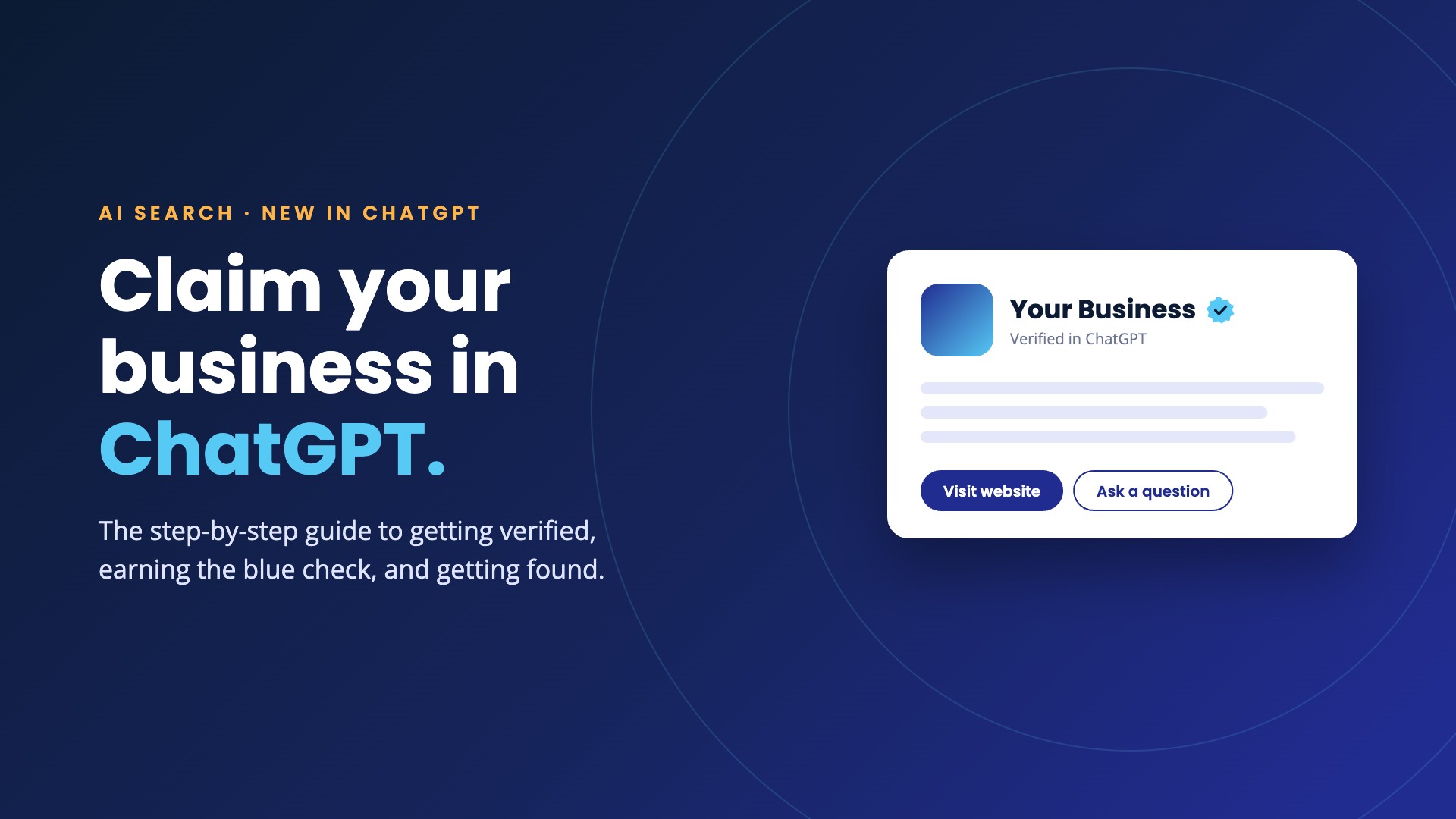
On November 10, 2026, OpenAI opened Businesses in ChatGPT in beta. For the first time, you can claim your company’s profile inside ChatGPT, verify that it’s yours, correct what it says, and see how often ChatGPT sends people your way.
OpenAI says ChatGPT reaches 1.2 billion people a week. A growing share of them ask it the questions they used to type into Google: who’s the best, who’s nearby, who should I hire. Until this week you had no say in what ChatGPT showed about your business. Now you do.
We ran Xblu through the process the morning after launch. This is how it works, what to have ready, and where people are getting stuck. It’s a brand-new beta, so expect screens and eligibility to keep moving. We’ll keep this post current.
At a glance
What “Businesses in ChatGPT” actually is
Think of it as the Google Business Profile moment for AI search. It has three parts.
Three parts, one hub
A profile you control
Claim your listing, then manage your website, description, category, logo, cover photo, and delivery and return policies.
Insights
A 28-day view of how often ChatGPT mentions you, how many people click through to your site, and the topics that surface you.
Business Agents
A labeled AI rep that answers customer questions inside ChatGPT. For now, limited to eligible US ecommerce and online service businesses.
Who can claim a profile right now
This is the part most launch coverage skips. What you can do today depends on what kind of business you are.
Who can do what today
Beta eligibility as reported in launch week. Expect this list to widen.
Either way, search for yourself first. ChatGPT may already hold a listing for your business, and claiming an existing one is the fastest path.
How to claim and verify your business in ChatGPT
Six steps. The first three take about ten minutes. The waiting is on OpenAI’s side.
The six steps
Open Business Hub
Sign in to ChatGPT and go to chatgpt.com/business-hub, or open Business Hub from the sidebar.
Use the right login. The ChatGPT account you sign in with becomes the admin of the profile. Use a company account, not an employee's personal one.
Search for your business
Search by name or domain and select the listing that matches. Then confirm which ChatGPT account will manage it.
No match? Eligible online businesses get a Create option. If your listing says Contact support, it's locked and you'll need to request access from OpenAI.
Prove the business is yours
ChatGPT only shows the methods that apply to your listing. There are four.
Our pick: the domain method. It doesn't depend on whatever phone number or email ChatGPT has on file, and a TXT record takes two minutes if you have DNS access. Give it a little time to propagate before you hit verify.
Wait for OpenAI's decision
OpenAI reviews the claim and emails you an approval or a request for more information. No review time is published, so don't resubmit while you wait.
Verify your identity
This is the step that surprises people. Once the claim is approved, the person managing the profile has to pass a separate identity check through Persona, OpenAI's verification partner. Have a government-issued ID ready. You may also be asked for business registration details and proof that you're authorized to represent the company. When we ran Xblu through it, this was a visual identity check.
The name, address, and registration or tax number you enter need to match your official records. Until this step clears you can't publish edits, see insights, or get the blue check.
Creating a brand-new profile? Read this first. Approval publishes it automatically, and OpenAI support can't unpublish or delete a live profile. Get your details right before you start the identity step.
Build out the profile
Fill in every field: website, description, product or service category, logo, cover photo, delivery and return policies. OpenAI reviews each change before it goes live.
From there you can add teammates or your agency (each person uses their own ChatGPT account), connect a product feed if you sell products, and build a Business Agent if you qualify.
What unlocks at each stage
An approved claim is only the halfway point. The identity check is what turns the profile on.
From claimed to verified to live
Claim approved
Identity verified
Agent published
What claiming won’t do
Here’s the straight answer: a verified profile is not a ranking switch. OpenAI is explicit that claiming carries no guarantee of better placement or more sales, and that ChatGPT keeps making its own recommendations. It will also keep showing information about your business whether you claim it or not, and it can supplement what you submit with details from other sources.
What claiming does is fix the inputs. ChatGPT gets your current facts from you instead of guessing from a three-year-old directory page. That’s worth an afternoon. It just isn’t the whole job.
The businesses ChatGPT recommends are still the ones the open web makes a clear case for:
- Consistent facts everywhere. The same name, address, phone, and services on your site, your Google Business Profile, and every directory that lists you.
- Pages that answer real questions. Service pages and FAQs written the way customers ask, with specifics an AI can quote.
- Structured data. Organization, LocalBusiness, Product, and FAQ schema, so machines don’t have to interpret your layout.
- Proof from other people. Reviews, press, and mentions on sites that aren’t yours.
- A fast, crawlable site. If the content lives inside scripts and sliders, AI tools can’t read it.
Start measuring ChatGPT traffic today
You don’t need a verified profile to see what ChatGPT already sends you. Links from ChatGPT are tagged with chatgpt.com as the source, so those visits are sitting in your analytics now. In GA4, open Traffic acquisition and search the session source for “chatgpt.com.”
Once your profile is verified, Business Hub adds mentions and discovery topics on top. Two things to know when you read them. For an online business, a mention only counts when ChatGPT references your website, so your brand name alone doesn’t register. And metrics only appear above a minimum activity threshold, so a blank number doesn’t mean zero.
Is Claude doing the same thing?
Not as of this writing. Anthropic has not announced a business listing, a verification program, or a claimable profile for Claude, and we found nothing public that says one is on the way. If that changes, we’ll update this post.
Claude works differently. When someone asks it for a recommendation, it searches the live web, reads what it finds, and cites its sources. There’s no dashboard to claim and no profile to fill out.
How each one finds your business
ChatGPT
A profile you claim and verify in Business Hub, plus whatever it finds about you on the web.
Claude
No listing or dashboard. It recommends the businesses the open web describes clearly and consistently.
That makes the checklist above the entire game for Claude, and the same goes for Perplexity and Google’s AI answers. Claim your ChatGPT profile because it takes an afternoon. Invest in the foundation because it’s what every AI tool reads.
Frequently asked questions
How much does it cost to claim my business in ChatGPT?
OpenAI lists no fee for claiming and verifying a profile. Advertising in ChatGPT is a separate, paid product, and claiming a profile does not enroll you in it.
Does a verified profile make ChatGPT recommend my business more often?
No. OpenAI says claiming does not guarantee higher placement. A verified profile keeps the information ChatGPT shows about you accurate and current, which helps, but recommendations still draw on what the wider web says about your business.
What do I need to verify my business in ChatGPT?
Access to one of four things: the business phone on the listing, the business email, your domain's DNS settings, or your Shopify store. After the claim is approved you also need a government-issued ID for the identity check, and possibly your business registration details.
My business does not show up in Business Hub. What now?
If you are an eligible online business, you should see an option to create a profile. Local businesses without an existing listing can join the waitlist. Access is opening gradually, so check back.
Can my agency or marketing partner manage the profile for me?
Yes. The profile admin can add teammates and outside partners, and each person signs in with their own ChatGPT account. The business should own the admin login.
Can businesses see what people ask ChatGPT about them?
No. Insights are aggregated. OpenAI says it does not share users' conversations, or their chats with a Business Agent, with businesses.
Is Claude offering business listings like ChatGPT?
Not as of November 11, 2026. Anthropic has not announced a claimable business profile for Claude. Claude finds businesses through live web search and cites its sources, so a clear, consistent presence across the web is what gets you named.
AI search visibility
Want your business found in AI answers?
We'll claim and verify your ChatGPT profile, then tell you plainly where your AI visibility stands and what to fix first.
Sources: OpenAI, Introducing Businesses in ChatGPT; launch-week reporting from VentureBeat and Quartz; and our own run through Business Hub on November 11, 2026.
Still have questions? Ask Speakeasy™
Speakeasy is our AI assistant, the Talk to Xblu button in the bottom-right corner. It has the full background on Business Hub and how verification works, and it can help you troubleshoot a stuck claim. Talk or type, in English, Spanish, French or Polish.