
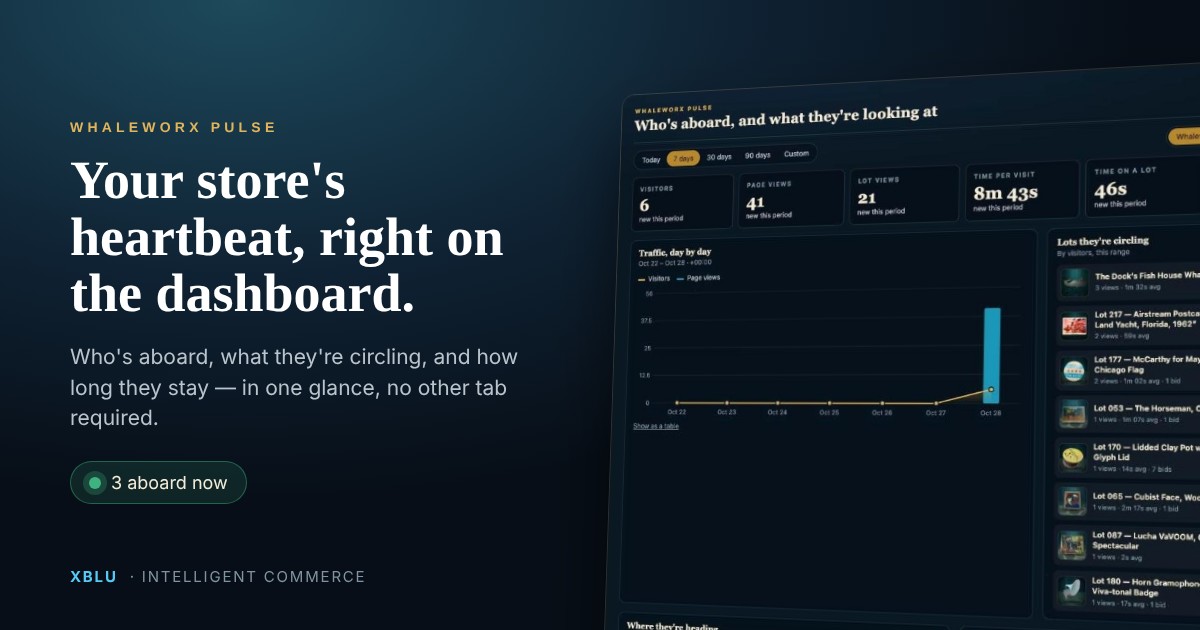
Whaleworx is one Chicago shop with one owner and a few AI helpers. This week it got a new crew member that doesn’t write, stage or appraise anything. It just watches. We call it Pulse™, and it may be the most useful thing on the whole ship.
Every store owner has analytics. Almost none of them look. Google Analytics is a login, a property picker, four menus and a report that answers a question you didn’t ask. So it goes unread, and decisions about what to feature, what to buy next and where to post get made on gut feel and the last conversation you had.
Pulse moves the numbers to the one place a shopkeeper actually goes every day: the top of the WordPress dashboard. Log in to add a product, and before you can scroll past it, you know who came aboard, what they circled and how long they stayed.
 12345
12345The seven-second read
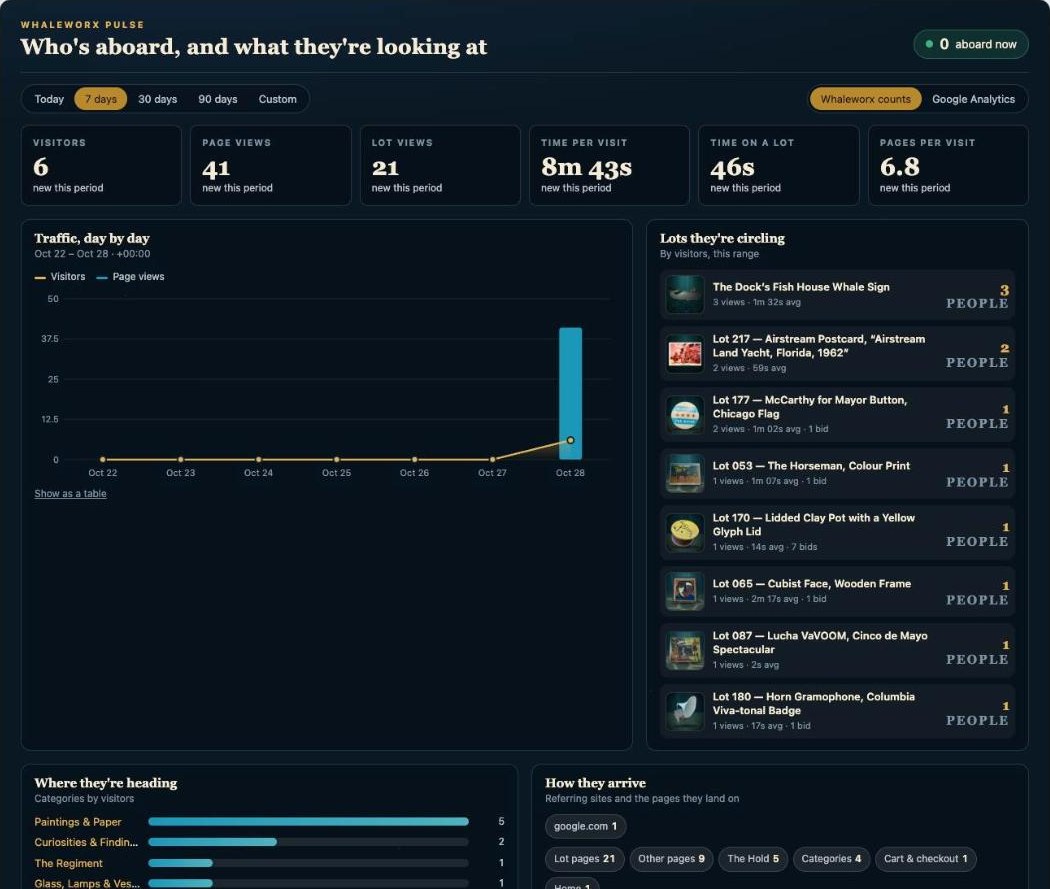
The design rule for Pulse was simple: everything a shopkeeper needs before coffee should fit in one screen and read in seven seconds. Six numbers, one chart, one list of products, one list of categories, and a line about where people came from. Each number carries its change against the previous period, so “186 visitors” comes with “up 24%” and you don’t have to remember last week.
Below the tiles, two panels do most of the work. Lots they’re circling ranks products by how many different people looked at them, with the average time each person spent and any bids. Where they’re heading does the same for categories. Together they answer the two questions every retailer asks on a Monday: what’s hot, and what’s not moving.
Four tabs and a guess
Log in, pick the property, find the report, change the date range, export, cross-reference with product IDs. Most owners stop at step two.
One glance on the dashboard
Numbers are only useful if they change what you do next
Here is the honest test of any dashboard: did it change a decision this week? On Whaleworx, Pulse has already changed four kinds of them. None of these required a report, an export or a meeting with yourself.
What to feature
Lots that lots of people circle but nobody bids on want a better photo, a story or a nudge."38 people looked at the gramophone. It leads the newsletter."
What to buy next
Categories by visitors show where the current is running before you spend a Saturday at an estate sale."Paintings pull three times what glass does. Hunt for art."
Where to promote
Sources and cities show which channel is actually sending people, and from where."Facebook sent four times what Instagram did. Post there first."
When to act
Busiest hour, time on page and the live count show when shoppers are present, so you launch while they're aboard."Three aboard and it's 8 pm. Open the Friday lot tonight."
Two sources, one panel
Pulse has two ways of counting, and a switch to flip between them. The first is the store’s own count. A tiny script notes each page a visitor opens and how many seconds the tab is actually in front of them, then forgets everything else. No cookies, no outside script, nothing that needs a consent banner. The shopkeeper and anyone else who edits the site are never counted, and bots are filtered out, so the numbers are people.
The second is Google Analytics, which most stores already have and never open. Give Pulse read-only access and the same panel fills with users, sessions, top pages, traffic sources, cities and devices, refreshed every fifteen minutes, without ever visiting analytics.google.com again.
Whaleworx counts
- Counts every product and category view, and real seconds on the page
- No cookies, no consent banner, no outside script
- Crew excluded, bots filtered, 120-hits-per-visitor cap
- "Aboard now" live count, refreshed every minute
- Top lots with photos, views, time and bids
- Works the minute the plugin is switched on
Google Analytics
- Users, sessions, page views, average session
- Traffic sources: direct, Facebook, Instagram, search
- Cities and devices
- Top pages across the whole site
- Realtime active users from Google
- Read-only access through a service account; your key never leaves the server
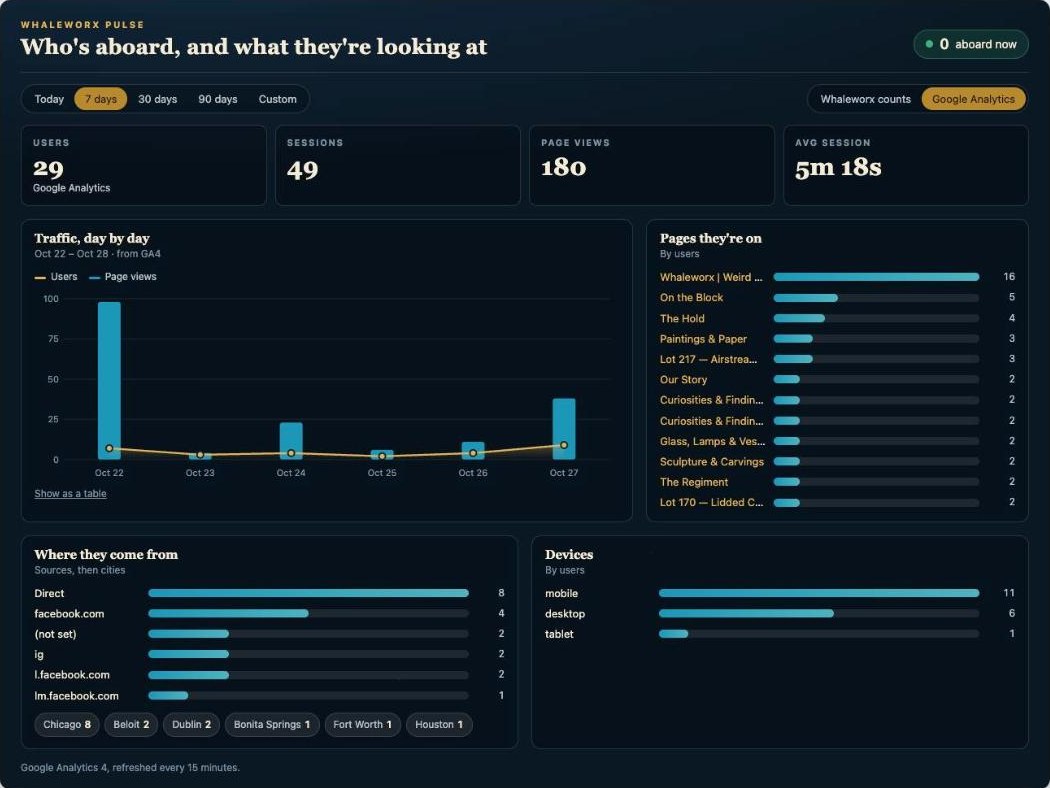
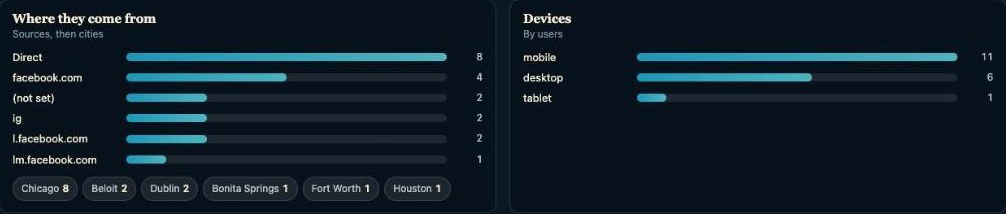
Real numbers, this week. Flip to Google Analytics and Pulse reads 29 users, 49 sessions, 180 page views and a 5-minute average session over seven days. Direct and Facebook lead the sources, Chicago leads the cities, and most shoppers are on phones, which is exactly why the panel is built to read at a glance on one.
The crowd can see the crowd
Traffic is also a story worth telling shoppers. Pulse can post a small, optional panel on the shop itself: The tide this week. It shows the four most-circled lots, how long people linger on each, the categories pulling the most interest, and how many are aboard right now. It is social proof made from real behavior rather than a testimonial, and it quietly points new visitors at the pieces other people found interesting.
It has manners. The panel hides itself on a quiet week rather than announcing “2 visitors”, and individual counts only appear once they are big enough to be flattering. You set those thresholds.
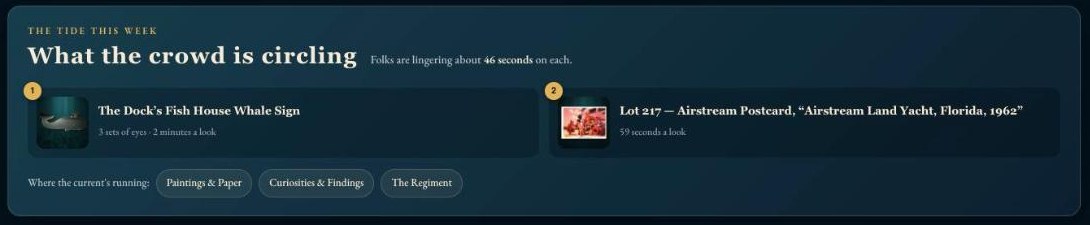
On The Hold at weird.whaleworx.com. "What the crowd is circling" ranks the week's most-viewed lots with "sets of eyes" and "a look" times, then lists where the current's running. Written in the shop's own voice, because the engine takes each store's personality from settings, not code.
Built like the rest of the engine: boring where it should be
No cookies
A random tag lives in the browser tab and disappears when it closes. No IP addresses, names or emails are stored.Crew excluded
Anyone logged in who can edit the site is never counted, so your own busywork doesn't inflate the chart.Bots filtered
Crawlers, uptime monitors and headless browsers are dropped, and one visitor can't flood the count.Keys stay home
The Google key is stored on your server and used only to read reports. Nothing in the browser can see it.What it means for your store
You already pay for a website and a Google Analytics account. Pulse is what makes them talk to you. Part of Xblu’s intelligent commerce engine, it ships with every store we build on it, next to the AI helpers that stage photos, suggest prices, tidy listings and run auctions. All it asks of the shopkeeper is about seven seconds a day.
The helpers suggest; you decide. Pulse just makes sure you decide with the tide in front of you.
Pulse is part of the Whaleworx intelligent commerce engine by XBLU. Want it on your store? Book a 20-minute store review.