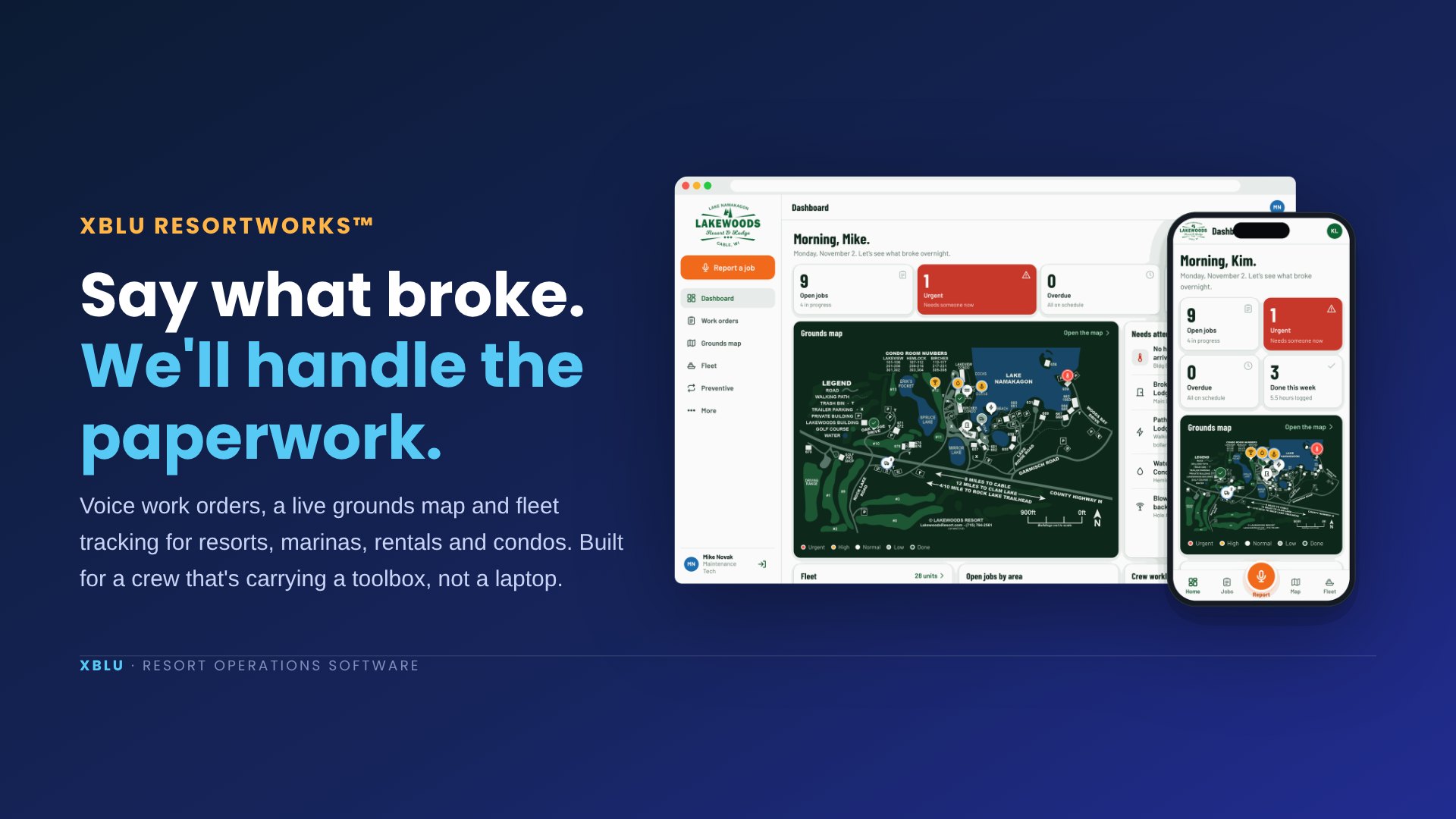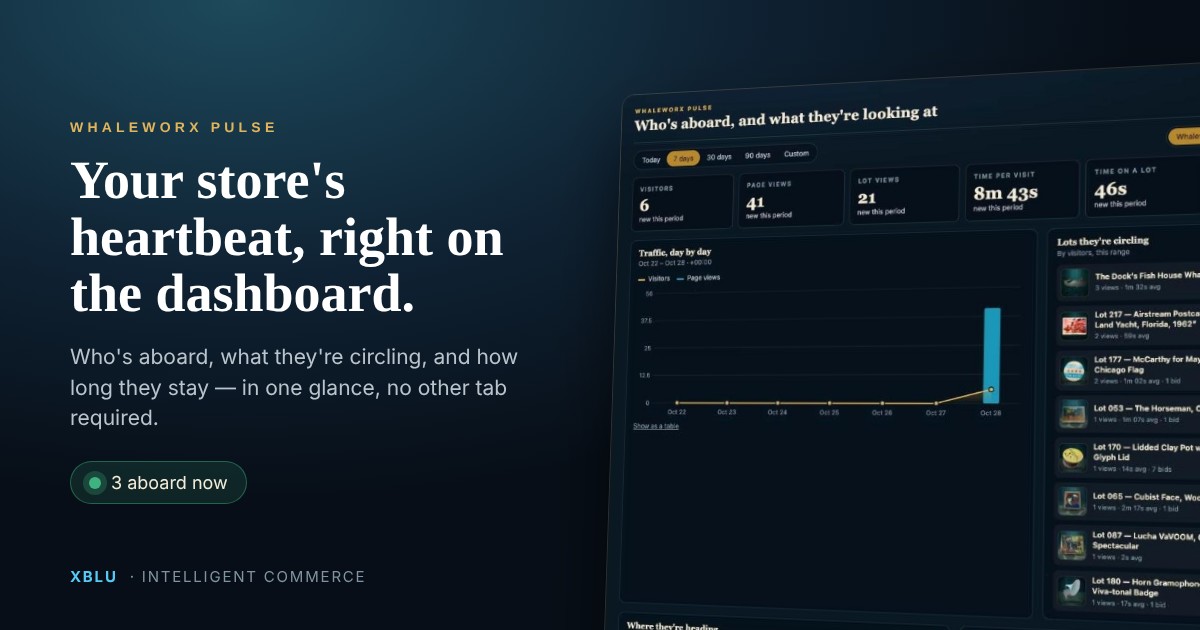
Most of the sites we build run on WordPress, and for a marketing site that’s the right call. But some things aren’t websites. They’re tools: a maintenance crew’s work orders, a live dashboard on the shop TV, a form a front desk uses two hundred times a day. For those we’ve been reaching for a different setup: a small Node.js application running as its own service on a plain Linux server. The newest one is the ResortWorks maintenance app we built for a Northwoods lake resort, and it’s a good example of how the pieces fit.
This post is the plain-English version of how that works, why it’s fast, why it’s secure, and what it takes to run on an AlmaLinux (or any Linux) server you already have.
Why it feels instant
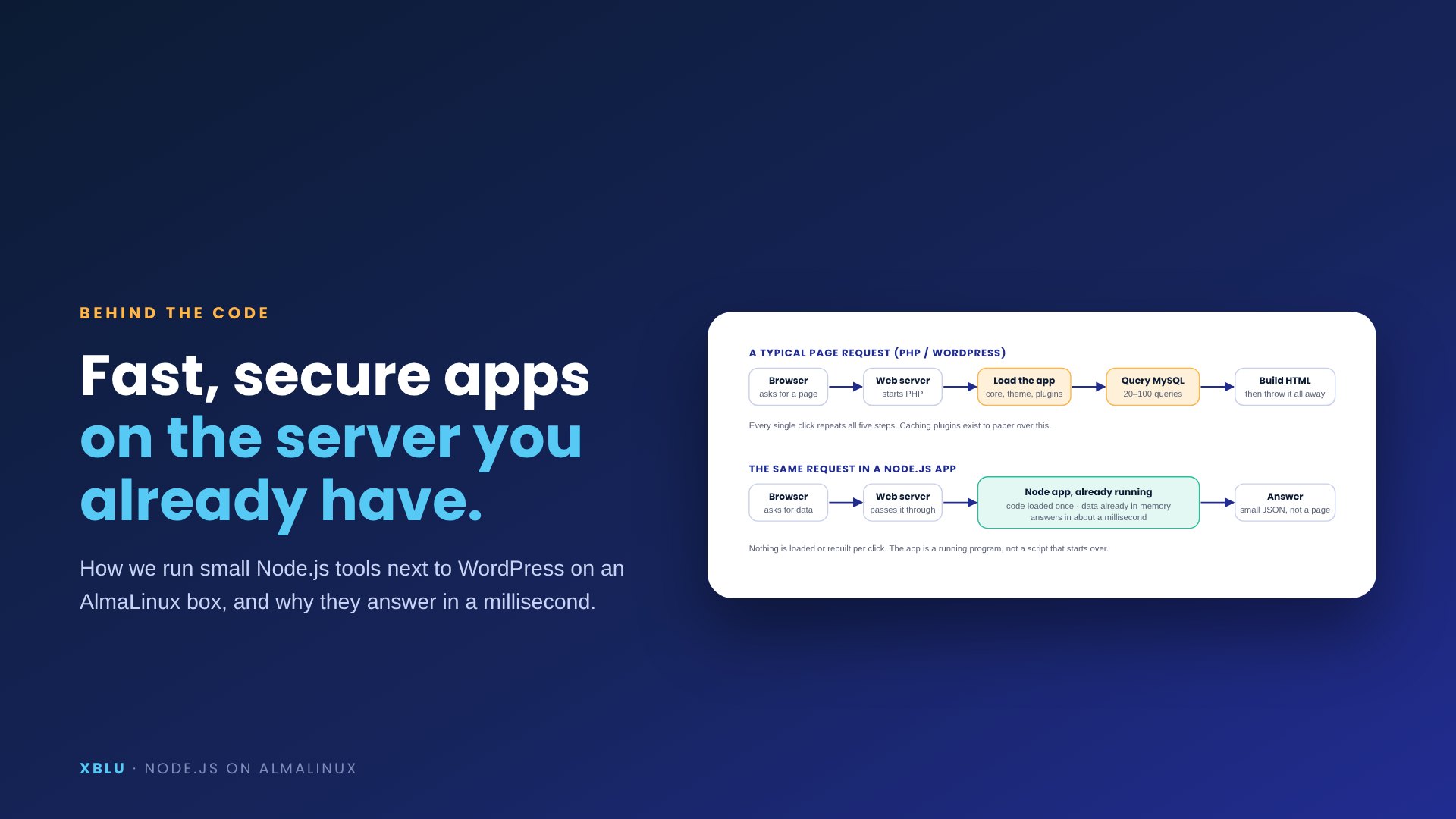
On WordPress, every request boots PHP, loads the site and asks the database before it can answer. A Node app is already up, with its code and its working data in memory, so a request is a short conversation with a running program.
What “Node.js” means, without the jargon
Node.js is a way to run JavaScript, the language every browser already speaks, on a server. The practical difference from the PHP world isn’t the language. It’s that a Node application is a long-running program. You start it once, it loads its code once, it opens its data once, and then it sits there answering requests until you stop it. PHP does the opposite: every page request starts from zero, loads everything it needs, answers, and forgets.
For a brochure site that’s fine; the page is the same for everyone and a cache handles it. For an app where five people are changing things at the same time, the running-program model is a different world:
- Speed. The ResortWorks app keeps every work order, fleet unit and schedule in memory. Opening the dashboard, filtering the list or dropping a pin on the map is a lookup in RAM, not a trip to a database. Responses come back in a millisecond or two.
- Live updates. Because the app is always running, it can keep a connection open to every phone and TV and push changes the moment they happen. When Mike marks a job done, Kim’s dashboard changes before he’s put his phone back in his pocket. A PHP site has to be asked over and over, “anything new?”
- One process, one truth. There’s exactly one copy of the data in flight, so there are no two half-finished writes fighting each other.
In memory, on disk, in your pocket
The working copy lives in the running app. A plain file on disk is the persistent copy, rewritten a moment after every change and backed up daily. Phones keep a cached copy and a queue of their own changes, so the far end of the property still works.
“In memory” sounds risky. Here’s why it isn’t.
The first question everyone asks: if the data lives in memory, what happens when the server reboots? The answer is that memory is the working copy, not the only copy. Every change the app accepts is written to a plain JSON file on disk a moment later, and the app reads that file back when it starts. Once a day it also saves a dated backup and keeps the last thirty. The whole data set for a resort’s maintenance operation is a few hundred kilobytes, which is to say it’s smaller than one photo, so there’s no reason to involve a database server at all.
Persistent is the right word for the model: the app is persistent (it doesn’t restart per request), the connections are persistent (phones stay attached and get pushed updates), and the data is persistent (file plus backups). It just isn’t slow, because nothing waits on a disk or a database to answer a question.
When would we use a real database instead? When the data gets big (hundreds of thousands of records), when several separate programs need to write to it, or when you need reporting across years of history. None of that is true for a crew of five tracking a few hundred work orders a season, and reaching for MySQL anyway would have made the app slower and the server busier for nothing.
Security: a smaller target, by design
WordPress sites get attacked constantly because there are hundreds of millions of them and they all look alike: the same login page, the same plugin folders, the same database. A purpose-built Node app has a much smaller surface, and the setup we use closes most of what’s left:
- It isn’t on the internet directly. The app listens only on the server’s own loopback address (127.0.0.1). The web server that’s already there, LiteSpeed or Apache, sits in front, terminates HTTPS and passes requests through. Nothing can reach the app without going through the web server first.
- It runs as a regular user, not root. The service runs as the cPanel account’s own user with a memory cap. If something ever went wrong inside the app, it can’t touch the rest of the server.
- Sign-in is built for a crew. People pick their name and enter a PIN. PINs are stored hashed (scrypt), sessions live in a signed, HttpOnly cookie, and five wrong tries lock that name out for five minutes. There’s no public login page to brute-force.
- The API only accepts JSON. That one rule blocks the classic trick of making someone’s browser submit a hidden form. Every change is validated by the same code on the server, whatever the phone sent.
- Photos are private. Uploads are stored outside the public folder and served only to signed-in staff.
- Nothing to patch weekly. No plugin ecosystem, no theme, no third-party code paths you didn’t write. The dependency list fits on one hand.
The layout on a cPanel box
The app gets its own subdomain, its own user and its own folder. The web server you already run passes that one domain through to it. Everything else on the server is untouched.
Setting it up on AlmaLinux (or any Linux)
This is the part that scares people off, and it shouldn’t. On a WHM server it comes down to four things, and we script all of them so an install is one command.
- Node itself. cPanel ships a supported Node.js package (
ea-nodejs22), so it installs like any other server component. On a plain AlmaLinux or Ubuntu box, the NodeSource repository does the same job. - A subdomain with a certificate. Point
app.yourresort.comat the server and let AutoSSL (or certbot) issue the certificate. The app needs HTTPS anyway: the phone’s microphone and the home-screen install only work on a secure site. - A service that stays up. A short
systemdunit runs the app as the account’s user, starts it at boot, restarts it if it crashes and caps its memory. That’s the whole “keep it running” story; no PM2, no screen sessions, no cron hacks. - The pass-through. One rewrite rule in the domain’s
.htaccesstells LiteSpeed to proxy that domain to the app on localhost. (Apache uses aProxyPassinclude instead; the installer detects which one you have.)
Our installer also runs a dry check first (is the port free, is the certificate there, is Node installed), refuses to touch the web server if anything is off, and can undo itself. Updates are an upload and the same command again; the data folder is never inside the zip, so it’s never overwritten.
What this looks like in practice
ResortWorks is the clearest example we have. A tech taps the mic, says “toilet in Hemlock two eleven keeps running, have Mike look at it tomorrow,” and the app turns that into a work order with the building, room, type of work, assignee and due date filled in. The parsing runs on the phone and on the server from the same shared code, so the phone can do it offline and the server double-checks it when it syncs. The job appears as a pin on the resort’s own map, on Mike’s list, and on the TV in the shop, all within a second, because the server pushed it rather than waiting to be asked.
The front desk uses the same app on a desktop, where the list turns into a sortable table. Managers see time and materials priced out and export invoices for QuickBooks. All of it is one Node process, one data file, and a web server rule, on a server the resort already pays for.
A few numbers from that install: the app idles at about 60 MB of memory, the entire data set is under a megabyte, and the server load from it is close to zero. The WordPress site on the same box didn’t notice.
When this is the right tool
Use WordPress for the website. Use a Node app for the tool: anything where a handful of people change shared data all day, need it on their phones, need it to feel instant, and need it to keep working at the far end of the property. Maintenance and work orders, rental check-in and check-out, inspections, housekeeping boards, booking look-ups, a live dashboard on a TV.
And because it’s a small program we wrote, not a platform we configured, changing it is a conversation. New workflow? New building? A second property? That’s a few days, not a new contract. If you’ve got a job like that on a Linux server somewhere, we’d be glad to show you how it would fit.
Custom apps on your own server
Got a tool in mind that isn't a website?
Tell us what your crew does all day. We'll tell you whether a small Node app fits, what it costs, and how it runs on the server you already have.